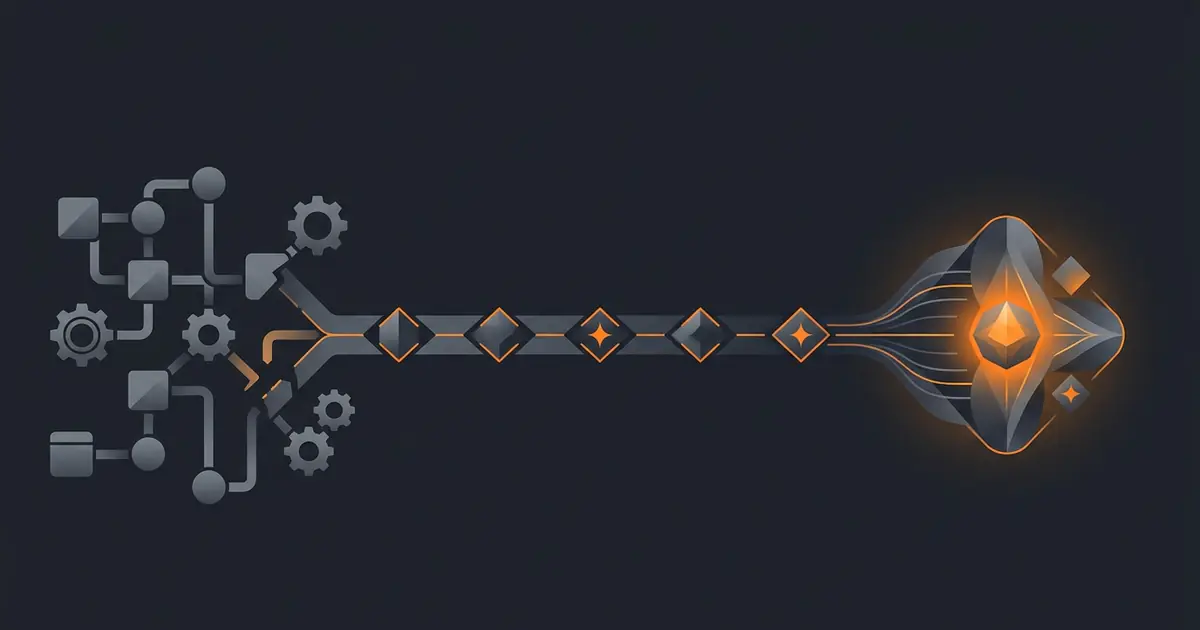
Zapier and AI agents solve overlapping problems with different mental models. Zapier is trigger-step-action: a fixed pipeline that runs the same way every time. AI agents are outcome-driven: the agent picks the steps. A naive port from Zapier to an agent reproduces the workflow exactly and produces an agent that is no better than the Zap, often worse because of the agent's overhead. The five-step migration below is how you actually capture the value of the migration without losing the reliability you already had.
The mental-model gap is the same one covered in AI agent vs workflow automation: workflow tools execute the steps you specified; agents pursue the outcome you described. Migrations that respect the gap succeed; migrations that ignore it produce expensive Zaps.
Why direct ports break
The most common Zapier-to-agent migration failure is a one-to-one port. The user looks at the Zap (trigger: new email; step 1: parse sender; step 2: lookup CRM; step 3: apply label A or B based on lookup) and translates it directly to the agent ("when a new email arrives, parse the sender, look up the CRM, apply label A or B based on the lookup").
The result is an agent doing exactly what the Zap did, plus the agent's per-task token cost, plus the agent's non-determinism risk. The agent is now slower, more expensive, and less reliable than the Zap, with no upside. The migration was a downgrade.
The fix is to migrate the outcome, not the workflow. The Zap was achieving an outcome (every customer email gets the customer label, every vendor email gets the vendor label, everything else gets triaged). The agent should be told the outcome, not the steps. The agent's value comes from handling the cases the Zap could not (new sender categories, ambiguous senders, multi-thread context). The thinking is in describe outcome, not workflow.
Step 1: Audit and group your Zaps by outcome
Open your Zapier dashboard. For each active Zap, write down the outcome it achieves in plain English. Not "when X, do Y" but "the world should be in state Z afterward." Group Zaps that achieve the same outcome (e.g., three Zaps that all categorise inbox messages with different sender lists are one outcome).
The grouping is what produces the migration plan. One outcome maps to one agent. Three Zaps that share an outcome become one agent, not three. The reduction in surface area is part of the migration's value.
Step 2: Pick the lowest-stakes Zap to migrate first
The first migration teaches you what the agent is good at and what it is not. Pick a Zap where the cost of getting it wrong is low. Read-only digests. Internal categorisation. Internal Slack notifications. Avoid first-migrations that touch customers, money, or external sends; the lessons learned in the first migration cost more there.
The rest of the migration plan flows from this. The first Zap teaches you the agent's behaviour on your inputs; subsequent migrations apply those lessons. Skipping this step (parallelising migrations across many Zaps simultaneously) is the most common reason migrations fail.
Step 3: Describe the outcome to the agent
For the chosen Zap, write the outcome description as covered in how to write a prompt for a recurring agent. Outcome statement, input contract, refusal conditions, output format with examples. The Zap's existing logic is useful as a reference for what cases the outcome needs to cover, but it is not the prompt; the prompt describes the outcome, not the Zap's steps.
Set the agent's access narrowly. Read-only at first; the same earned-write progression covered in how to set up your first AI agent applies. Set explicit cost caps and rate limits per how to limit AI agent actions.
Step 4: Run agent and Zap in parallel for 14 days
Both run on the same inputs. The Zap continues to be the source of truth; the agent runs in shadow mode, producing output that is logged but not acted on. Each day, compare the agent's outcomes against the Zap's. Track agreement rate, identify the cases where the agent and Zap disagree, classify each disagreement: agent right, Zap right, both right (ambiguous input), neither right.
The 14-day window covers two weekly cycles, which captures most of the realistic input distribution. For low-volume workflows (fewer than 10 invocations per week), extend to 30 days. For high-stakes workflows (customer-facing, financial), require 95% agreement on outcomes during the window before cutover.
Disagreements are the most useful data the migration produces. Cases where the agent is right and the Zap was wrong show the migration's upside. Cases where the Zap is right and the agent is wrong show what to fix in the prompt before cutover. Treat the parallel window as supervised calibration.
Step 5: Cut over with a rollback plan
When the parallel window meets your agreement threshold, cut over. Disable the Zap (do not delete it; keep the configuration intact). Activate the agent. Monitor closely for the first week.
The rollback plan: if the agent produces a bad outcome in the first 30 days post-cutover, disable the agent and re-enable the Zap within an hour. Treat the failure as feedback for the prompt; debug per how to debug an AI agent; re-run the parallel window before re-cutover.
Keep the Zap disabled-but-ready for 60 days post-cutover. Delete the Zap only after 60 days of agent operation without incident. The cost of keeping the Zap configured is zero; the value of having a 1-hour rollback path is whatever the worst-case bad outcome would have cost. The economics are clearly in favour of the longer rollback window, as the framework in economics of bootstrapped AI agents would predict.
Frequently asked questions
Why does Zapier-to-AI-agent migration break?
Most migrations break because the user ports the workflow one-to-one. Zapier is trigger-step-action; agents are outcome-driven. A direct port produces an agent that runs a brittle pre-determined sequence, missing the reason to migrate. The right approach is to identify the outcome the Zap was achieving and describe that outcome to the agent, letting the agent pick the steps.
What are the five steps to migrate from Zapier to an AI agent?
Audit existing Zaps and group by outcome. Pick the lowest-stakes Zap to migrate first. Describe the outcome to the agent (not the workflow). Run agent and Zap in parallel for 14 days. Cut over with a rollback plan. Each step assumes the previous is complete; jumping straight to cut-over is the most common migration failure.
Should I migrate all my Zaps at once?
No. Migrate one Zap at a time, lowest-stakes first. The first migration teaches you what the agent is good at and what it is not. The lessons inform later migrations. Migrating 20 Zaps simultaneously means 20 unknowns at once, which is the migration pattern most likely to fail.
How long should I run an agent in parallel with the Zap before cutover?
14 days as a default. The window covers two weekly cycles, captures most of the input distribution, and surfaces drift before cutover. For low-volume Zaps (fewer than 10 invocations per week), extend to 30 days. For high-stakes Zaps (customer-facing, financial), require 95% agreement on outcomes during the window before cutover.
What is the rollback plan for an agent migration?
Keep the Zap configured but disabled, ready to be re-enabled within an hour. If the agent produces a bad outcome in the first 30 days post-cutover, disable the agent, re-enable the Zap, and treat the failure as feedback for the agent's prompt or scope. The rollback is the safety net; do not delete the Zap until 60 days of agent operation without incident.
Three takeaways before you close this tab
- Migrate the outcome, not the workflow. A direct port produces an expensive Zap, not an agent.
- Lowest-stakes first; one at a time. The first migration teaches you what the agent handles.
- Parallel for 14 days, rollback for 60. The cost is small; the protection is large.
Sources
- Anthropic, "Building Effective Agents", retrieved 2026-05-07, anthropic.com/engineering/building-effective-agents
- Zapier, "Multi-step Zaps documentation", retrieved 2026-05-07, zapier.com/help/create/basics/learn-key-concepts-in-zapier
- NIST, "AI Risk Management Framework 1.0", 2023, retrieved 2026-05-07, nist.gov/itl/ai-risk-management-framework
- Gravity team, "Gravity migration playbook", internal v1, May 2026, About