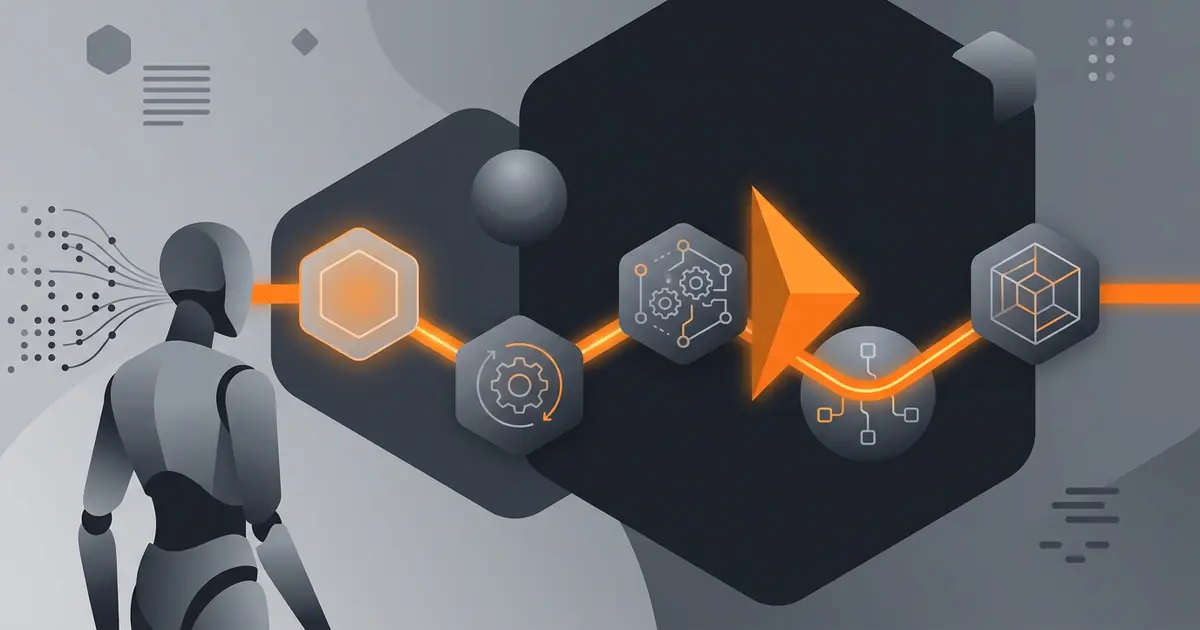
Agent failures look like bugs but behave differently. A traditional code bug is deterministic; the same input always produces the same wrong output. An agent failure is a decision the agent made on an input where multiple decisions were plausible. Same input, re-run, the agent might decide differently. The debugging process below is built for the second kind of failure, which is most agent failures.
The five-step process is the one I run when a Gravity capability misbehaves in production. The same process works for personal agents and for vendor-built agents you operate. The core moves are: reproduce, inspect, classify, fix, test. The discipline is that each step has to complete before the next; skipping a step usually leads to a fix at the wrong layer.
Why agent debugging is different
Code bugs are deterministic. The same input always produces the same wrong output. You step through the code, find the line where the wrong branch was taken, fix it. The fix is verifiable: re-run the test, same input now produces the right output.
Agent failures are non-deterministic in two ways. First, the model's reasoning is not bit-exact reproducible across runs; same input might produce different decisions because of sampling. Second, the input space is ambiguous; two reasonable interpretations of the same email might lead to two different actions, both defensible. The fix is not a line of code; it is making the agent's decision more constrained by tightening the prompt, the tool definition, or the action allowlist.
The 8 categories of AI agent failure modes are the taxonomy I use to classify what went wrong. Knowing the category drives the choice of fix.
Step 1: Reproduce with the exact input
Get the exact input that triggered the failure. Bit-for-bit. The original email, the original API response, the original document. Paraphrasing changes the failure: the agent might decide differently on a slightly-different input, and you will think you fixed something you did not.
Most agent platforms log the input that the agent received. If yours does not, that is the first reliability gap to fix. Without the input, you cannot reproduce; without reproduction, you are guessing about the cause.
Re-run the agent with the exact input. Note that "the agent did the same thing" and "the agent did something different" are both useful information. Same-thing means the prompt deterministically prefers the wrong interpretation. Different-thing means the input is genuinely ambiguous and the agent samples between interpretations.
Step 2: Inspect the reasoning trace
The reasoning trace is the sequence of decisions the agent made on the input. Which tools the agent called. What parameters were passed. What each tool returned. What the agent decided to do next based on the return value. The trace is the agent's stack trace; it tells you where the decision went wrong.
Read the trace from the top. Find the first decision that was wrong. The first wrong decision is usually the cause; everything after it is downstream consequence. The trace tells you whether the failure is at the prompt level (wrong interpretation of input), the tool level (wrong parameters passed to a correct tool), or the allowlist level (the agent attempted something it should not have access to).
Step 3: Identify which failure mode applies
Map the trace to one of the eight failure mode categories. Common ones:
- Misinterpretation of input. The agent picked the wrong reading of an ambiguous input. Fix at prompt level: add a refusal condition for ambiguity.
- Tool parameter error. The agent called a tool with bad parameters. Fix at tool level: tighten the parameter schema or add validation.
- Out-of-distribution input. The input was unlike anything the prompt covered. Fix at prompt level: add explicit handling for the new distribution, or refuse.
- Resource exhaustion. The agent looped or expanded a problem until it ran out of budget. Fix at the limit layer: rate limit, cost cap, or recursion depth.
- Refusal failure. The agent should have refused but did not. Fix at prompt level: explicit refusal condition for the case in question.
- Tool misuse. The agent used a permitted tool in an unintended way. Fix at allowlist level: scope down what the tool can do.
Each category points to a different layer. The full taxonomy is in AI agent failure modes.
Step 4: Fix at the right layer
The most common debugging mistake is fixing at the wrong layer. Symptoms: the fix works on the failing input but breaks something else. Or the fix needs to be re-applied to every variation of the input. Or the fix is brittle and decays after the next prompt update.
Fix at the prompt level when the failure is interpretation, refusal, or out-of-distribution handling. The prompt is where you express how the agent should reason about inputs.
Fix at the tool definition level when the failure is parameter handling. Tighten the parameter schema, add validation, narrow the tool's purpose.
Fix at the allowlist level when the failure is the agent attempting an unintended action class. Remove the action from the allowlist, or scope it down.
Fix at the model level (i.e., upgrade or change the model) only when the failure is consistently produced across prompt and tool variations and the cause is genuinely model capability. This is rare and usually a last resort.
Step 5: Add a test that would have caught it
Take the offending input. Assert the corrected behaviour. Add the assertion to the test suite. Now the same input or a paraphrase will be caught before production.
The 80-tests methodology in how we test AI agents is built on this principle. The 80 tests come from accumulated debugging: each was added because something failed in production once, and the test makes sure it cannot fail the same way again. Reliability compounds via the test suite; debugging without adding tests means the same failure recurs.
Frequently asked questions
Why is debugging an AI agent different from debugging code?
Code bugs are deterministic: same input, same wrong output, every time. Agent failures are non-deterministic: the agent picked one interpretation of an ambiguous input. The same input might produce a different decision on a re-run because the model's reasoning is not bit-exact reproducible. Debugging means understanding the agent's reasoning, not stepping through lines of code.
What are the five steps to debug an AI agent?
Reproduce with the exact input. Inspect the agent's reasoning trace. Identify which failure mode applies. Fix at the right layer (prompt, tool definition, allowlist, or model). Add a test that would have caught the failure. Each step assumes the previous one is complete; skipping a step usually leads to a fix at the wrong layer.
What is a reasoning trace?
A reasoning trace is the sequence of decisions the agent made: which tools it called, what it passed to each tool, what it received back, and what it decided to do next. Most agent platforms expose the trace in their dashboards or logs. The trace is the equivalent of a stack trace in code; it tells you where the decision went wrong.
Should I fix an agent failure in the prompt or in the tool?
Depends on the failure mode. If the agent picked the wrong interpretation of an ambiguous input, fix the prompt (add a refusal condition for ambiguity). If the agent called a tool with bad parameters, fix the tool definition (tighten the parameter schema). If the agent took an action it should not have access to, fix the allowlist. The right layer is the layer that prevents recurrence.
How do I prevent the same agent failure from happening again?
Add a test that would have caught the failure. The test takes the offending input and asserts the corrected behaviour. Adding tests after each debugged failure is how the agent's reliability compounds over time. Without the test, the same input or a paraphrase will reach production again and fail the same way.
Three takeaways before you close this tab
- Agent failures are decisions, not bugs. Debug the decision, not the code.
- Five steps in order: reproduce, inspect, classify, fix, test. Skipping lands the fix at the wrong layer.
- Reliability compounds via tests. Every debugged failure becomes a test that prevents recurrence.
Sources
- Anthropic, "Building Effective Agents", retrieved 2026-05-07, anthropic.com/engineering/building-effective-agents
- Mialon et al., "GAIA: A Benchmark for General AI Assistants", arXiv:2311.12983, 2023, retrieved 2026-05-07, arxiv.org/abs/2311.12983
- NIST, "AI Risk Management Framework 1.0", 2023, retrieved 2026-05-07, nist.gov/itl/ai-risk-management-framework
- Gravity team, "Gravity debugging methodology", internal v1, May 2026, About