The most common failure mode of a team running ClickUp is not that nobody uses it. It is that the gap between "we decided this in the standup" and "this exists as a task with an owner and a due date" stays open for hours, sometimes days. The decision happens in Slack, on a Zoom call, in a forwarded email, in a voice memo on a Tuesday afternoon. By the time someone gets back to their desk and remembers to open ClickUp, half the signal is gone and the rest is rounded off.
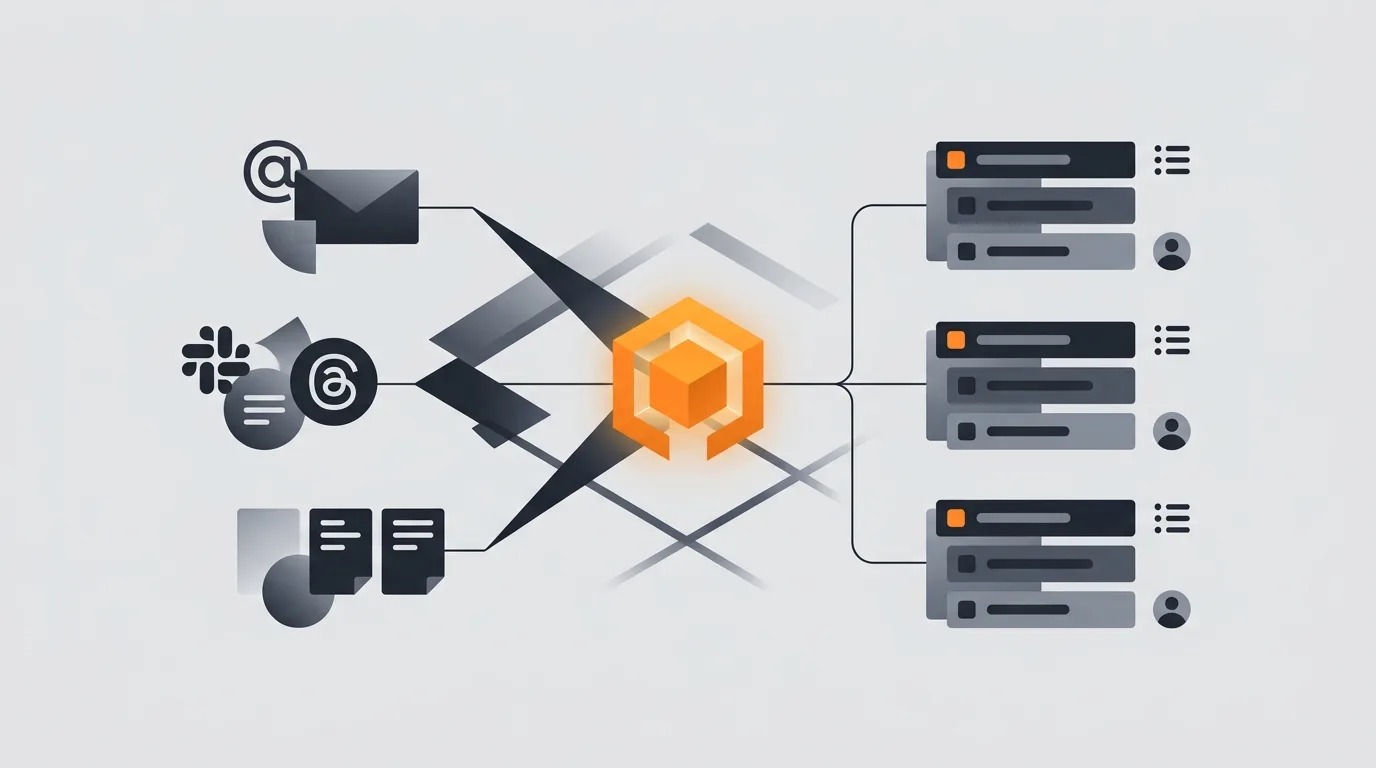
An AI agent closes that gap. Not by replacing a project manager, not by trying to be one. By doing one boring, useful thing: watching inbound channels, extracting the things that look like tasks, and creating them in the right ClickUp list with an assignee, a due date, a priority, and a link back to where the decision was made. The team still owns the work. The agent just owns the typing.
What this agent does
The scope is narrow on purpose. The agent reads inbound channels, identifies actionable items, and creates ClickUp tasks via the official API. It writes once and walks away. It does not move tasks between statuses, set up automations inside ClickUp, run sprint planning, or send reminders. Those are different problems with different failure modes.
What counts as an actionable item is a tight definition: a sentence or fragment that names a deliverable, an owner (explicit or implied), and ideally a date. "We should redo the pricing page" is actionable. "What about pricing?" is not. The agent is biased toward false negatives. A missed task is a small cost; a noisy ClickUp inbox is a large one because the team learns to ignore it.
For the broader read-then-write pattern this fits into, see what an AI agent can actually do. For the multi-tool composition, see how to give an agent multiple tools.
Sources of truth
The agent listens to a small, named set of inputs. The temptation is to listen to everything; resist it. Every additional source multiplies the noise that the dedup and prioritization logic has to filter.
- Email. One Gmail label (for example, "to-clickup") that the user applies manually or via a forwarding rule. The agent reads only labeled messages. The Message-ID becomes the dedup key.
- Slack. Mentions of the agent's bot user, plus a reaction emoji (typically a checkmark) that any team member can apply to convert a message into a task. The permalink becomes the dedup key.
- Meeting transcripts. Notetaker output (Fathom, Otter, Granola, Fireflies). The agent reads the action-items section, not the full transcript. Speaker + timestamp is the dedup key.
- Voice memos. Forwarded to a dedicated inbox or transcribed by Apple Voice Memos and sent via share sheet. Transcript hash is the dedup key.
What the agent does not read: the rest of Slack, the rest of Gmail, calendar invites, documents the user did not explicitly share. Surveillance is not the goal; capture is. For the prompt pattern that drives a recurring agent like this, see how to write a prompt for a recurring agent.
The right-task problem
Creating a ClickUp task is one API call. Creating the right ClickUp task is most of the work. The fields that matter:
- List. Driven by the signal type and a project hint extracted from the source. Engineering language goes to the engineering sprint list. Sales follow-up phrasing goes to the sales pipeline. Ops requests go to ops. Each routing rule is explicit, written once, reviewed weekly.
- Status. Always the first status of the chosen list (typically "To do" or "Backlog"). The agent never picks an in-progress status.
- Assignee. The named person if mentioned. Otherwise the list default owner, never empty.
- Due date. Extracted from the source if explicit ("by Friday", "before the demo"). Otherwise a list-level default offset (for example, +7 days for engineering, +2 days for ops).
- Priority. Defaulted to Normal. Promoted to High only on explicit signals (the word "blocker", a "p0" tag, a reply to an outage thread).
- Tags. Source channel ("from-slack", "from-meeting") plus any project hint.
The "right list" decision is the one most teams get wrong. The agent does not need a sophisticated classifier; it needs a small, explicit routing table that a human can audit. Five to fifteen rules covers most teams. New patterns get added during the weekly review.
Linking context back
A ClickUp task without context is a stub. Stubs rot. Two weeks later, nobody remembers why "Update the onboarding email" was created or who said it.
Every task the agent creates includes four pieces of context in the description, in this order:
- One-paragraph summary. The agent's own gloss on what the task means. Two to four sentences.
- Verbatim quote. The exact text that triggered creation. Slack message, email line, meeting transcript fragment, voice memo transcript.
- Source link. Slack permalink, Gmail thread link, meeting recording timestamp deep-link, or doc anchor.
- Speaker or sender. Who said it, when, and in what channel.
The source URL also lives in a custom field on the task itself. That custom field is the dedup key. Searching it lets the agent find an existing task before creating a new one.
Guardrails
Capture agents fail in predictable ways. The guardrails address the predictable failures.
- Assignee fallback rule. Every list has a named default owner. The agent never creates an unassigned task. If the source mentions no one, the list owner gets it.
- No auto-close. The agent does not move tasks to Done, Cancelled, or any closed status. Ever. That is a human or assignee decision.
- Deduplication. Source URL hash check before every create. Same source URL plus same list plus open status equals match. On match, add a comment, do not create a new task.
- No tasks in archived lists. The agent reads the list status from the ClickUp API and refuses to create in any list marked archived or read-only.
- Rate cap. Maximum N tasks per source channel per day, configured per list. Prevents a runaway meeting transcript from spawning forty tasks.
- Halt on ambiguity. If the signal cannot be confidently mapped to a list, the agent creates the task in a triage list with a tag, not in its best guess.
- Approval mode for new patterns. The first time the agent sees a new routing pattern, it drafts the task and pings a human for approval before creating. After two confirmations, the rule auto-applies.
For the broader guardrail pattern, see AI agent safety and guardrails. For the approval gate specifically, see how to add a human approval step to an agent. For monitoring the agent over time, see how to monitor agent activity.
Common mistakes
- Over-creating tasks. The agent treats every imperative sentence as a task. The team starts ignoring the ClickUp inbox. Fix: tighten the actionable-item definition, raise the bar to "deliverable + owner + date".
- No owner. Tasks land unassigned because the source did not name a person. Fix: list-level default owner, never empty.
- No context. Tasks are one-line stubs. Fix: enforce the four-element context block as a creation precondition.
- Listening to everything. The agent reads all Slack channels and all Gmail. Noise drowns signal. Fix: explicit opt-in via label, reaction, or named channel.
- Routing by classifier alone. A model picks the list. It picks wrong. Fix: small explicit routing table the human owns, audited weekly.
- Auto-closing tasks. The agent decides work is done because a Slack thread went quiet. Wrong. Fix: scope strictly to creation.
- No deduplication. The same meeting action item lands as three tasks. Fix: source-URL custom field plus a pre-create search.
For an adjacent inbound-signal triage pattern, see AI agent for Slack triage.
Frequently asked questions
Can an AI agent create ClickUp tasks from my email and Slack?
Yes. The agent watches a small set of inbound channels (a label in Gmail, mentions and reactions in Slack, meeting transcripts from your notetaker, voice memos forwarded to an inbox) and creates ClickUp tasks via the ClickUp API. Each task lands in the right list with an assignee, due date, priority, and a link back to the source. The agent does not chase the task after creation; it just captures.
How does the agent choose which ClickUp list and assignee?
List is picked by signal type and project hint. Engineering tickets land in the engineering sprint list, sales follow-ups in the sales pipeline, ops work in the ops list. Assignee is the named person from the source message if mentioned; otherwise it falls back to the channel owner or list default owner. The agent never assigns to an empty user; it always has a fallback rule.
What stops the agent from creating duplicate tasks?
Two checks. First, the agent hashes the source identifier (email Message-ID, Slack permalink, meeting timestamp + speaker) and skips any signal it has processed before. Second, before creating a new task it searches the destination list for an existing open task with the same source URL in a custom field. If found, it adds a comment instead of creating a duplicate.
Should I auto-close ClickUp tasks with the agent?
No. This agent is scoped to creation only. Closing tasks involves judgment about whether the work was actually done, and that judgment belongs to the assignee or a human reviewer. The agent can add status comments (for example, a thread reply on Slack arrived), but it does not move tasks to Done or Closed.
What context does the agent attach to the task?
Every created task includes the source URL (Slack permalink, Gmail message link, meeting recording timestamp, doc anchor), the original verbatim text that triggered creation, the detected speaker or sender, and a short one-paragraph summary in the task description. A task without context is a stub; this agent never creates stubs.
Three takeaways before you close this tab
- Scope is creation, not management. The agent types, the team works.
- Context is non-negotiable. Source link, verbatim quote, speaker, summary. Every task. No stubs.
- Routing is human-owned. A small explicit table beats a clever classifier. Audit weekly.
Sources
- ClickUp, "API v2 Reference: Create Task", retrieved 2026-05-12, clickup.com/api/CreateTask
- ClickUp Help, "Custom Fields", retrieved 2026-05-12, help.clickup.com/custom-fields
- ClickUp Help, "Automations overview", retrieved 2026-05-12, help.clickup.com/automations
- Slack API, "Permalinks and message references", retrieved 2026-05-12, api.slack.com/permalinks
- Gravity team, "Gravity capture-agent guardrails", internal v1, May 2026, About