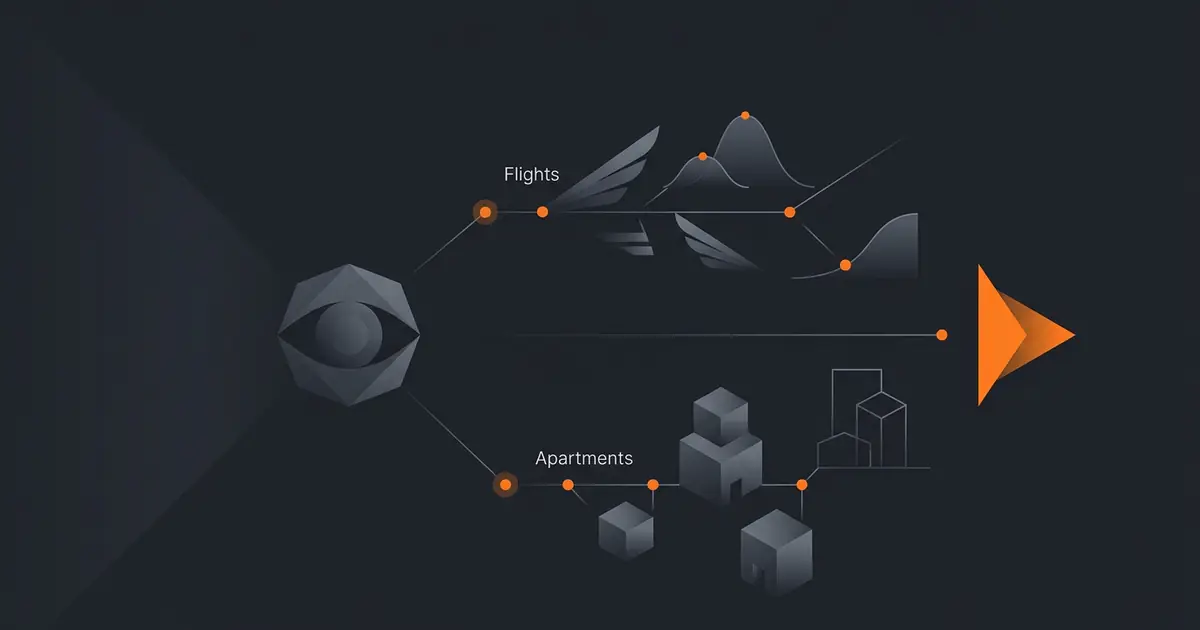
A "watch list" agent is the simplest, most useful agent most people never bother to set up. It polls a small number of listings on your behalf, applies criteria you specify once, and alerts you when something matches. Compared to refreshing a search tab manually for two weeks, the agent gives you back the time and catches matches that show up at 03:00 IST when nobody is watching.
This walkthrough covers the two most common variants (apartments and flights) and the rules that keep the agent working without getting blocked, banned, or buried in noise.
What this agent does
The agent runs on a schedule (every 15 minutes for apartments in hot markets, hourly for flights). On each run, it queries the configured sources, normalises results, scores each item against your criteria, dedupes against everything seen previously, and emits an alert for new high-score matches.
It does not book anything. It does not click "Apply" on a rental. The agent's job ends at the alert; the action is yours.
For the broader pattern of read-only agents, see what an AI agent can actually do and AI agent for inbox triage.
Criteria as code
The single biggest lever on signal quality is criteria specificity. Vague criteria flood you with alerts and you stop reading them within three days.
For apartments, specify:
- Price. Hard ceiling. Optional minimum if you want to skip listings that look too cheap to be real.
- Location. A neighbourhood polygon, not a postcode. Postcodes leak across boundaries; polygons do not.
- Bedrooms / square footage. Minimums.
- Must-have features. Lift, parking, balcony, pet-friendly, furnished. Hard requirements.
- Move-in window. Date range.
For flights:
- Origin and destination. Optionally an OR list (any of these airports).
- Date window. A range, not a single day, if you have flexibility.
- Max price. Hard ceiling.
- Max stops. One stop or direct only.
- Max layover duration. Skips cheap routings with 11-hour layovers.
- Cabin / fare class. Economy or premium economy or whichever is relevant.
Watch sources
Pick sources by API quality first, scraping ease second. For flights:
- Skyscanner Travel APIs. Licensed for personal use through partners.
- Amadeus for Developers. Free tier covers low-volume personal projects.
- Google Flights. No public API; ToS prohibits scraping. Use partners.
- Airline direct APIs. For specific routes, the airline often has a developer site.
For apartments, regionally specific sources matter more than category leaders. Some sites publish RSS or API feeds for new listings; others do not. The agent should prefer feeds where they exist and avoid headless-browser scraping unless the platform explicitly permits it.
Cadence and rate limits
Cadence is a function of two things: how fast listings turn over on the platform and what rate limit the platform allows.
- Apartments in hot markets. 15-minute polling, weekdays 08:00 to 23:00 IST. Off hours are usually quiet.
- Apartments in slower markets. Hourly is plenty.
- Flights. Hourly during the date window, daily for far-future dates.
- Universal. Respect platform rate limits. If the docs say 100 requests per hour, stay under 80.
The agent must identify itself in the User-Agent header (it is a polite signal that you are not a malicious scraper) and obey robots.txt. For more on agent rate-limit hygiene, see how to handle agent rate limits.
Alerts and noise control
Alert noise is what kills these setups. Three controls keep noise low.
- Match score threshold. Each listing scores against your criteria. Only above-threshold matches alert.
- Dedupe by listing ID. Reposts of the same listing under a new ID also need a content hash check.
- Quiet hours. Group sub-threshold matches into a daily digest at 09:00 IST. Real-time alerts go only to high-score matches.
Tune the threshold over the first week. Aim for 1 to 5 alerts a day. More than that and you stop reading; fewer than that and you miss things.
Legal and platform terms
Read the Terms of Service before configuring the agent. Most flight aggregator APIs (Amadeus, Skyscanner) explicitly permit personal use. Apartment platforms are mixed. Universal rules:
- robots.txt. Honour it. If a path is disallowed, do not poll it.
- Rate limits. Honour them. Back off on 429s.
- User-Agent. Identify the agent. Do not impersonate a browser.
- No login bypass. If the platform requires login and you are not logged in as your own account, do not scrape.
- Personal use only. Reselling alerts or building a competing service is a different conversation; this article is about a personal agent.
For broader safety patterns, see AI agent safety and guardrails.
Common mistakes
- Vague criteria. "Cheap apartment in central Bangalore" produces 200 alerts per day. None get read.
- No dedupe. The same listing reposted three times each evening looks like three matches.
- Polling too aggressively. Gets the agent IP-blocked. The platform wins.
- Scraping behind login. Almost always against ToS. Use APIs.
- No quiet hours. Phone alerts at 03:00 IST for a price drop nobody acted on.
Frequently asked questions
Can an AI agent monitor apartment listings and flight prices for me?
Yes. The agent polls a watch list (rental sites, Google Flights, Kayak, Skyscanner) on a schedule, applies your criteria (price, location, dates), and notifies you when a match appears. Most legitimate setups use the platforms' official APIs or RSS feeds where available, and respect rate limits and Terms of Service when scraping is necessary.
What criteria should I give the agent?
Be precise. For apartments: price ceiling, neighbourhood polygon (not just a city), bedrooms, square footage, must-have features (lift, parking, pet-friendly). For flights: origin and destination, date window, max price, max stops, max layover duration. Vague criteria produce noisy alerts that train you to ignore them.
How often should the agent poll?
Apartments in hot markets often warrant a 15-minute cadence during waking hours. Flights are slower; hourly is plenty unless you are watching a fare class that sells out fast. Always respect the platform's robots.txt and rate limits, and prefer official APIs (Skyscanner, Amadeus) over scraping where the API supports your query.
Is it legal to scrape apartment or flight listings?
It depends on the platform. Many flight aggregators publish official APIs (Amadeus, Skyscanner, Kiwi) that are licensed for personal use. Apartment sites are inconsistent: some offer feeds, some forbid scraping. Always read the Terms of Service before configuring the agent, prefer APIs, and respect robots.txt. The agent should identify itself with a User-Agent and obey rate limits.
How does the agent decide what to alert vs ignore?
Match score thresholds. Each listing is scored against your criteria; only scores above a threshold trigger an alert. Below threshold listings are logged but silent. Tune the threshold over the first week so you get 1 to 5 alerts a day, not 30. The agent should also dedupe (same listing reposted does not re-alert).
Three takeaways before you close this tab
- Criteria specificity is the lever. Code, not vibes.
- API first, scraping second. Honour ToS and rate limits.
- Threshold + dedupe + quiet hours. Without these, alerts become noise.
Sources
- Amadeus for Developers, "Self-Service APIs", retrieved 2026-05-10, developers.amadeus.com/self-service
- Skyscanner, "Travel APIs and Affiliate Programme", retrieved 2026-05-10, partners.skyscanner.net/travel-apis
- Internet Engineering Task Force, "RFC 9309: Robots Exclusion Protocol", retrieved 2026-05-10, rfc-editor.org/rfc/rfc9309
- Gravity team, "Gravity polling-agent guardrails", internal v1, May 2026, About