An inbox triage agent is the most popular first agent for a reason. The job is well-defined (read inbox, produce a summary), the failure mode is mild (a wrong summary, not a wrong send), and the value is immediate (you open one tab in the morning instead of forty). It is also the easiest place to get the agent shape wrong, because the temptation to make it write replies and archive messages is high and the reasons not to are non-obvious.
This post is a setup walkthrough plus what actually changes after thirty days of use. The setup is short. The 30-day section is the part most guides skip and the part that determines whether the agent is still running in three months.
What an inbox triage agent does
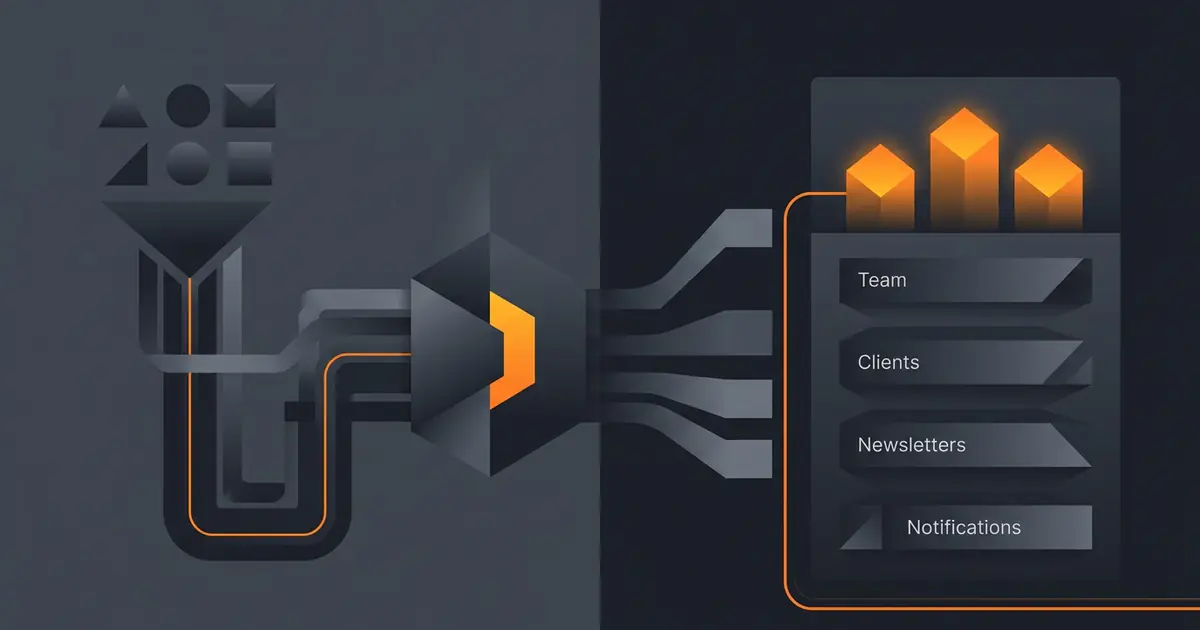
The agent runs on a schedule (daily, sometimes twice). It reads the inbox over the past 24 hours, classifies each message by sender type, and produces a digest. Each item gets one line: who, what they want, how urgent, what (if anything) you owe them. The most urgent items go to the top.
The agent does not send replies. It does not archive. It does not delete. The output is a single screen of attention, not a state change. That separation is the whole reason a first agent earns trust: the worst case is a misclassified email, not an apologetic one in your sent folder.
For the underlying first-agent rules, see how to set up your first AI agent. For the broader read-vs-write framing, how to give an agent access to email safely.
Setup in five steps
- Connect inbox read. Most platforms use Gmail or Microsoft Graph. Choose read-only scope, never read-write.
- Describe the outcome. "Every morning at 08:00 local time, give me a one-screen digest of last 24 hours, grouped by customer / vendor / internal / other, with the three most urgent items at the top and a one-line summary of each."
- Set the schedule. Daily, in your timezone. Consider a second run at lunch if your inbox is busy.
- Cap the budget. Per-run cap and per-day cap. Inbox triage is cheap; an unbounded inbox triage is not.
- Run for ten supervised days. You read both the digest and the inbox. Note misses and false urgents. Tune the prompt at the end of week one.
Setup itself is fifteen minutes. The supervised period is what gets the prompt right.
What to tell it
The prompt has four jobs: classify senders, score urgency, summarise, format. Each one is a sentence:
- Classify. "Group senders into Customer (anyone in our CRM as a paying account), Vendor (anyone we send money to), Internal (our domain), Other (everything else)."
- Score urgency. "Mark urgent if the body mentions a deadline within 48 hours, mentions an outage, or is a reply chain where I owe a response."
- Summarise. "One line per email: from, ask, deadline if any. Skip newsletters and notifications."
- Format. "Markdown digest, four sections, urgent items at the top of each section."
Avoid telling the agent how to do the job. The agent picks the steps. You define done. This is the core lesson in describe outcome, not workflow; an inbox triage prompt is the cheapest place to feel the difference.
Access scope
Read-only on the inbox. The agent should not have permission to send, draft, archive, label, or delete. Most providers expose this as an OAuth scope: pick the read-only one. If your platform offers only read-write, treat that as a red flag and look for one that offers read-only.
The output (the digest) goes to your own systems: Slack, email-back, a daily Notion page. If the digest leaves your tenant (e.g. emails to a personal account), confirm the path is encrypted in transit and that the model provider's policy is "do not train on customer data".
For the threat model around inbox-reading agents, see the OWASP guidance on Excessive Agency and Sensitive Information Disclosure (OWASP, "Top 10 for LLM Applications").
30-day reality check
The interesting part of running this agent starts after the novelty wears off. Three things show up around day 14:
The newsletter problem. Day one the agent skips newsletters as instructed. Day fourteen you discover one of those "newsletters" is actually your accountant's monthly statement, which the agent has been silently dropping. Add a rule: if the sender is in the vendor list, never skip even if the message looks like a newsletter.
The threading problem. The agent treats each email as independent. A long thread with twelve replies looks like twelve items. Most users want a thread treated as one row with the latest sender and the latest ask. Add this to the prompt and the digest shrinks meaningfully.
The 6 p.m. problem. The morning digest is great. Then late afternoon brings a second wave of inputs and the agent's recommendations are stale by 4 p.m. A second run at 13:00 or 17:00 fixes this without much extra cost.
None of these are obvious at setup. They surface only by running the agent and reading both the digest and the inbox for a few weeks. Track misses (an urgent email the digest missed) and false alarms (a non-urgent email the digest flagged). Tune the prompt against those.
When to add replies
After thirty clean days, you can graduate to drafts mode: the agent prepares a reply for you to approve and send. Drafts are still safe; they require a human click. Auto-send is a separate, later stage, and even then only for a narrow class (out-of-office acknowledgements, meeting confirmations from a known list).
The pattern matches the broader rule from how to limit agent actions: read first, draft second, send last, with weeks of supervised behaviour between each step. Skipping the steps produces an agent that sends the wrong reply confidently to the wrong person.
Common mistakes
- Read-write scope on first agent. Read-only is enough for a digest.
- "Make it like a human assistant". Vague prompts produce vague digests. Specify classifier rules and urgency signals.
- No threading rule. Twelve replies = twelve rows = useless digest.
- Skipping the 30-day check. Drift surfaces between day 14 and day 21.
- Graduating to send too soon. Drafts after 30 clean days. Send much later.
Frequently asked questions
What does an AI agent for inbox triage actually do?
It reads the inbox on a schedule, groups messages by sender type, summarises each in one line, and surfaces the most urgent items at the top. The output is a single-screen digest. The agent does not reply, archive, or delete on its own. It moves the human's attention to the right place faster, which is the entire job.
Should an inbox triage agent send replies?
No, not as a first agent. A read-only digest earns trust without the risk of an embarrassing send. After the digest has run reliably for thirty days, you can graduate to drafts mode where the agent prepares replies for you to approve. Auto-send is a third stage, and even then only for a narrow class of messages.
How does an AI inbox triage agent decide what is urgent?
Most agents combine three signals: explicit deadlines mentioned in the body (today, tomorrow, by Friday), customer or vendor identity (people who pay or are paid by you outrank newsletters), and reply chains where you owe a response. The prompt should specify which signals matter for your role; the defaults are a starting point, not a final answer.
Will an inbox triage agent see private emails?
Yes, scope it carefully. Read access to the inbox means the model sees the contents of every email it summarises. Use a service-account or OAuth scope limited to read-only, log every run, and keep the agent's output (the digest) inside your own systems rather than emailing it back to a third party. Most platforms support a 'no training' flag for sensitive inboxes.
How much does an inbox triage agent cost to run?
For a single user processing 50 to 200 emails per day, expect a few cents to a dollar per day on a hosted platform. The cost is dominated by the number of messages summarised and the model used. A small model is sufficient for triage; reserve large models for messages flagged for deeper analysis.
Three takeaways before you close this tab
- Read-only digest, four sender groups, three most urgent on top. That is the whole agent.
- 30-day check surfaces the prompt edits that matter. Threading, vendor newsletters, second-run timing.
- Drafts after 30 clean days. Send much later. The schedule is the safety.
Sources
- Google, "Gmail API scopes", retrieved 2026-05-08, developers.google.com/gmail/api/auth/scopes
- Microsoft, "Microsoft Graph mail permissions", retrieved 2026-05-08, learn.microsoft.com/en-us/graph/permissions-reference
- OWASP, "Top 10 for LLM Applications", retrieved 2026-05-08, genai.owasp.org/llm-top-10
- Gravity team, "Gravity inbox-triage spec", internal v1, May 2026, About