Half of every meeting I have ever sat in dissolves into the question "wait, who owns that?" The decision was made. Three people will roughly remember it by Friday. Nobody has it written down. By the next standup, two of those three people have forgotten there was a decision at all, and the action quietly never happens. The cost is invisible because nobody tracks the action items that never got tracked.
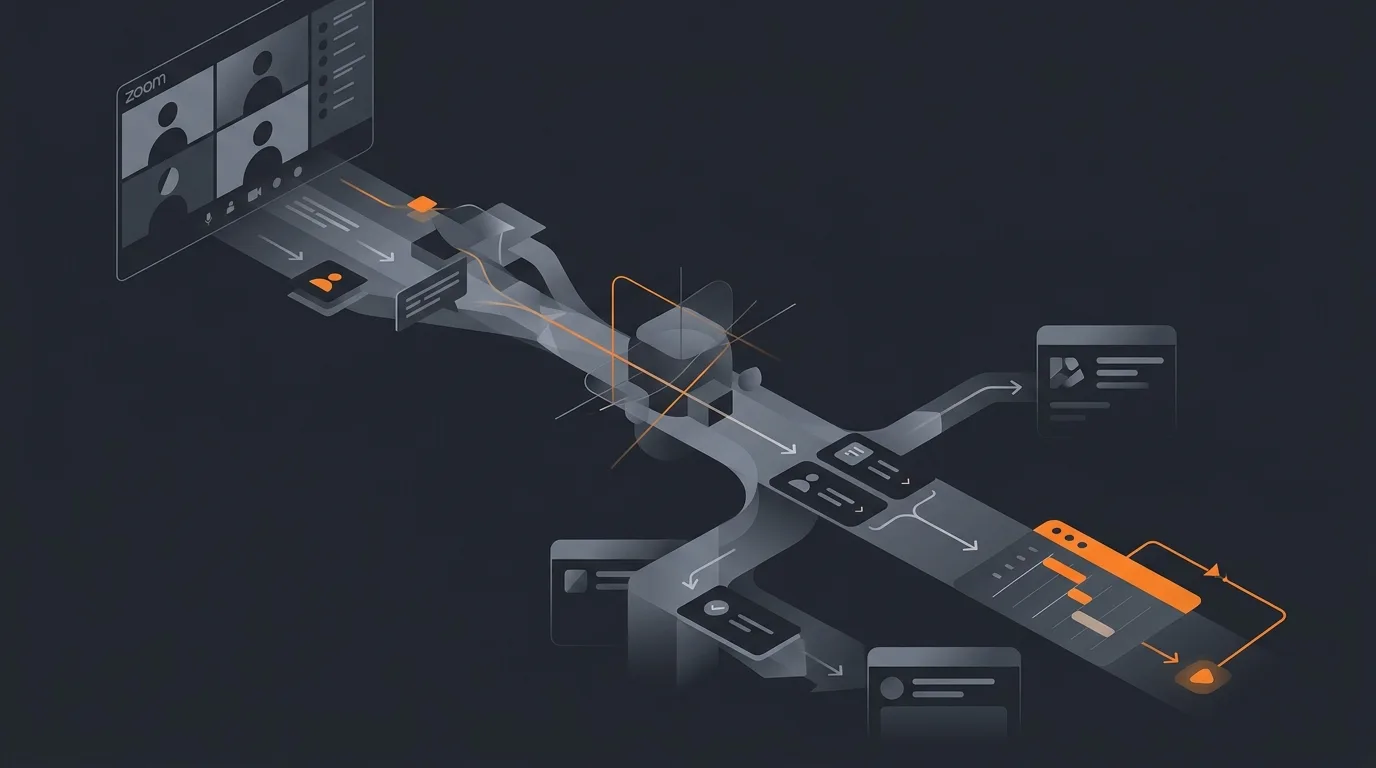
An AI agent for Zoom meeting action items does the part nobody wants to do. It reads the transcript after the meeting, pulls out the actions, assigns owners, dates, and a destination, and posts the draft list to the place the team already lives. The host glances at the list, accepts, and the actions are live in Linear, Asana, Slack, or wherever the team works. The whole post-meeting overhead drops from twenty minutes to about two.
What this agent does
The Zoom Cloud Recordings API publishes a transcript a few minutes after the meeting ends. The agent polls this API, downloads the new transcript, runs an extraction pass, and packages an action-item draft. The draft includes each item, the proposed owner, the proposed due date, the transcript timestamp it came from, and a confidence score. The agent posts this draft in the configured destination, almost always within thirty minutes of the meeting ending.
What the agent does not do: it does not join meetings as a bot, it does not record meetings the host did not record, it does not transcribe local recordings, it does not edit decisions, and it does not create tasks the host did not approve. The action items go through a human gate before anything is created in a task tool. For the broader pattern, see AI agent for meeting followups.
The host has one job. Within fifteen minutes of seeing the draft, they review it, edit owners if the agent guessed wrong, edit dates if the agent over-promised, and click accept. The accepted items create tasks in the destination tool. The rejected items disappear, with a note in the audit log so the agent can learn.
Sources of truth
The agent reads three things and writes drafts into one place.
- The Zoom Cloud Recording transcript. Pulled via the recording-get API. Contains every spoken turn with speaker name and timestamp.
- The meeting metadata. Start time, end time, attendee list, host, the recurring series link if any. The series link is what tells the agent which destination to route into.
- The team roster. A roster of known team members, their roles, their tools, and their handles in each task system. This is the resolution layer for "Sarah" to a Linear assignee or a Slack user ID.
- Output: a draft action-item list, posted in the configured destination. Nothing is created in the task tool until the host accepts.
The agent does not read calendars beyond the meeting metadata. It does not read company docs to "understand the project". It does not browse Slack history. The transcript is the unit of work; everything outside the transcript adds noise without adding clarity. For the broader rationale of constrained inputs, see how to limit agent actions.
How the agent extracts an action
An action item is a sentence in the transcript that proposes a future task. Three signals tell the agent it found one.
- Volunteer signal. "I will write the PRD by Wednesday." First-person future commit with a verb and a deliverable. Owner is the speaker. Date is "by Wednesday".
- Assignment signal. "Sarah, can you handle the legal review?" Direct address with a verb and a deliverable. Owner is the named person, validated against the team roster. Date is inferred from context or asked for in the draft.
- Context-inferred signal. "Someone needs to talk to the vendor about pricing." No owner named. The agent looks for the person most likely to own this from context (who runs vendor relationships in the roster, who has spoken about this vendor before in the meeting). If the inference is weak, the action goes into the review list with "owner unknown" and a list of candidates.
The deduplication step matters more than the extraction step. A meeting transcript will hit the same decision three or four times as the conversation circles back. The agent collapses near-duplicates into a single action with the most specific version (the one with the firmest date and the clearest owner). For the broader pattern of suggesting rather than acting, see how to add a human approval step to an agent.
Routing into the team's tool
The agent has connectors for Slack, Linear, Asana, Notion, ClickUp, and email. The host configures one destination per meeting series (not per meeting, per series, so the routing is stable). The configuration is a single key-value pair in the agent's settings: this Zoom meeting ID routes to this Linear project, in this team, with this default label.
Draft post. The agent posts the draft in the destination, formatted natively. In Slack, it is a message with checkboxes. In Linear, it is a draft issue per action item with a status of "needs review". In Notion, it is a database insert with a "draft" flag. In Asana, it is a project with "draft" tasks.
Accept action. The host clicks one button. The agent flips the status from draft to active, sets the assignee, sets the due date, and posts a comment with the transcript timestamp link. The audit log records who accepted, when, and what was edited between draft and accept.
Chase-down loop. One day before each action's due date, the agent posts a one-line reminder to the owner in their primary channel. On the due date, it asks for a status. If the action slips, the agent posts the slip in the next instance of the recurring meeting's destination. For the broader pattern, see how to monitor agent activity.
Guardrails
- Cloud-recording-only. No bot attendance, no local recording transcription, no manually pasted notes. If the host did not enable cloud recording, the agent does nothing.
- No tasks without host acceptance. Drafts post, but tasks are not created in the destination until the host clicks accept.
- Roster-bound owners. If the named owner is not on the team roster, the action goes to review. The agent never invents an owner.
- Maximum 20 action items per meeting. If the agent finds more than 20, the meeting was not a decision meeting; it was a brainstorm. Flag for human review.
- Audit log per meeting. Every draft action, every accept, every edit, every reject. Reviewable for the past 90 days.
- Transcript retention. The agent caches the transcript for 30 days then deletes. Zoom is the system of record; the agent does not become a long-term transcript store.
- Sensitive-meeting opt-out. A meeting tagged "confidential" in its calendar invite is skipped entirely. Legal reviews, HR conversations, and exec calls should be tagged.
For more on the guardrail philosophy, see AI agent safety and guardrails.
Common mistakes
- Bot-in-the-meeting designs. Several tools join Zoom calls as a participant. The privacy friction kills adoption inside three weeks. Work from the recording, after the fact.
- Routing to a generic destination. Putting every meeting's actions into one shared backlog turns the backlog into a graveyard. Route per series.
- Auto-creating tasks. The first month the agent will be wrong about owners and dates roughly 30 percent of the time. Auto-create and the team loses trust. Draft, accept, learn.
- Capturing "discussion points" as actions. A discussion point is not an action. "We talked about the pricing model" is not a task. The agent should be aggressive about filtering these out and conservative about creating actions from them.
- Skipping the chase-down loop. Without the reminder, half the actions die in someone's inbox. The reminder is what turns the agent from notetaker into operating system.
- Treating this as a replacement for the host. The host still runs the meeting, still owns the decisions, still owns the team. The agent removes about 18 minutes of post-meeting clerical work. That is the whole pitch.
Frequently asked questions
Can an AI agent pull action items from a Zoom meeting?
Yes. The agent pulls the Zoom transcript through the Cloud Recordings API, identifies decisions and follow-ups inside the transcript, attaches an owner and a due date to each one, and posts the action list back into the channel where the team works. It does not create tasks unilaterally. It drafts them, the host accepts, and only accepted tasks land in the team's task tool.
How does the agent know who owns each action item?
From three signals in the transcript: who said they would do it, who they said should do it, and which named participant is most likely from context. If two of three signals agree, the agent assigns the owner. If they disagree, the action goes into the review list with the three candidates listed, and the host picks. Ambiguity always resolves to a human.
What if the meeting has no recording?
The agent skips meetings without cloud recordings. It does not transcribe local recordings, it does not record meetings the host did not record, and it does not work from manually pasted notes. The Cloud Recordings API is the single source. If a meeting needs an action-item pass, the host enables cloud recording on the calendar invite.
Does the agent attend meetings as a bot?
No. The agent works from the recording after the meeting ends. Bot attendees create privacy friction, fail half the time on dial-in audio, and add a stranger to a confidential conversation. The cloud recording is already happening; the agent reads it. The host owns whether the recording happens.
Where do the action items land?
Wherever the team already lives. The agent has connectors for Slack, Linear, Asana, Notion, ClickUp, and email. The host configures one destination per meeting series. The agent posts a draft list there within thirty minutes of the meeting ending, with each item assigned, dated, and linked back to the transcript timestamp. The host one-click accepts.
Three takeaways before you close this tab
- Read the transcript, not the room. No bots. No friction. Just the recording.
- Draft, accept, route. The host stays in the loop for the first month, then trusts the drafts.
- One destination per series. Stable routing is what turns the agent from clever to useful.
Sources
- Zoom Developer Platform, "Cloud Recording API: Get a meeting recording and Get recording transcripts", retrieved 2026-05-13, developers.zoom.us API reference
- Zoom Support, "Enabling cloud recording", retrieved 2026-05-13, support.zoom.com cloud recording
- Atlassian Trello blog, "How to write better meeting action items", retrieved 2026-05-13, blog.trello.com meeting action items
- Harvard Business Review, "The condensed guide to running meetings", retrieved 2026-05-13, hbr.org condensed guide to running meetings
- Linear API documentation, "Issues: create and update", retrieved 2026-05-13, developers.linear.app