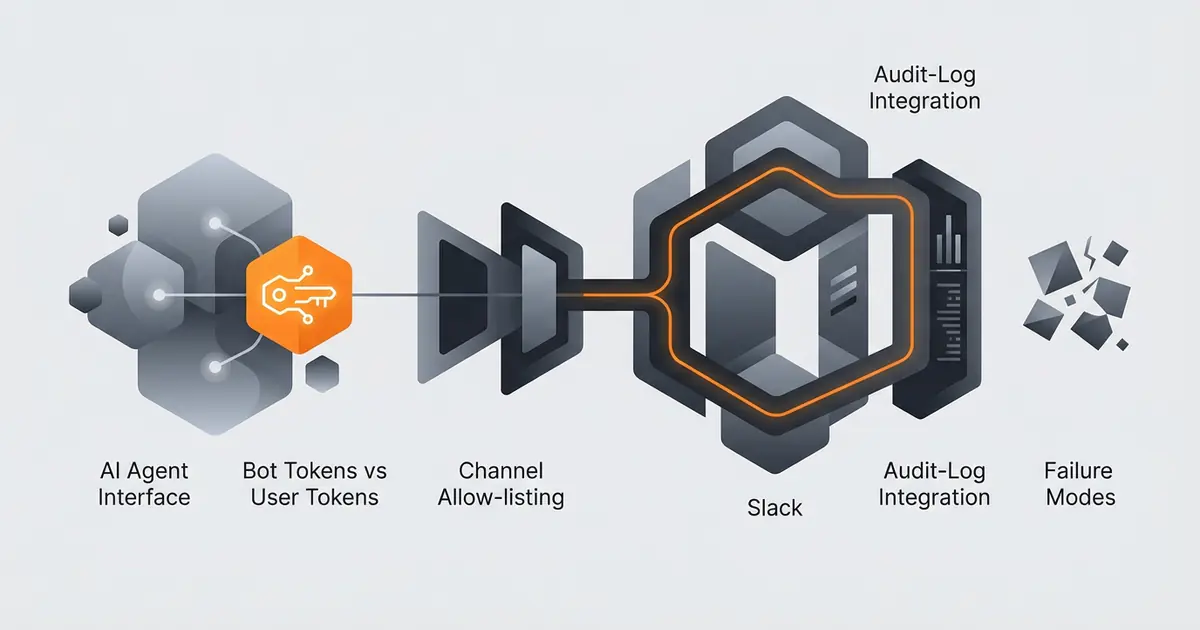
Most teams connect their first agent to Slack in 30 minutes using a personal token, then spend three weeks unpicking the consequences. This guide is the safe path from start: a bot app, narrow scopes, allow-listed channels, mirrored audit logs, and the four failure modes that catch every team eventually. The instructions are framework-agnostic; the same shape works for LangChain, LlamaIndex, OpenAI Assistants, AutoGen, or Gravity.
Slack's developer documentation is the source of truth for endpoint behaviour and rate limits (api.slack.com, retrieved 2026-05-09). The OAuth and security model is documented in their security and compliance pages (slack.com/trust/security, retrieved 2026-05-09). Where this guide and Slack's docs disagree, trust Slack's docs.
Bot token vs user token
Slack offers two token types for apps: bot tokens (xoxb) tied to the app, and user tokens (xoxp) tied to a real user. Use a bot token. Bot tokens are the right choice for nine reasons out of ten:
- Workspace admins can audit and revoke bot tokens centrally.
- Bot identities show up clearly in Slack UI; users know they are talking to a bot.
- Audit logs cleanly attribute actions to the app, not to a person.
- Bot tokens cannot read DMs the bot is not in, which contains blast radius.
The exception is when the agent must perform actions that only a user can do (joining a private channel where the bot has not been invited, for example). Even then, build the workflow around the bot first and only fall back to user tokens for specific operations, scoped narrowly. The trust model for the agent should treat user-token operations as a higher trust level requiring approval.
The minimum scope set
Request only what the agent will use. Slack's installation flow shows users the requested scopes; over-requesting reduces trust and slows admin approval. The base set for a posting/triage agent:
| Scope | Why |
|---|---|
chat:write | Post messages as the bot. |
chat:write.customize | Optional: customise bot username and icon per message. |
channels:read | List public channels (needed for ID lookup). |
groups:read | List private channels (only those the bot is in). |
channels:history | Read public-channel history (only where invited). |
users:read | Resolve user IDs to display names. |
reactions:write | Optional: acknowledge messages with emoji. |
Avoid the broad scopes (im:history, files:read, search:read) unless a specific feature requires them. Each broad scope is a procurement question waiting to happen. The cluster post on giving an agent email access safely covers the same principle for Gmail.
Install the app
Steps using Slack's app management UI:
- Go to api.slack.com/apps and create a new app, "From scratch".
- Pick a workspace. The app exists per workspace; for multi-workspace deployments use the public app distribution flow.
- Under OAuth & Permissions, add the bot scopes from the table above.
- Click Install to Workspace. Slack walks you through admin approval if your workspace requires it.
- Copy the bot token (starts
xoxb-). Store it in your secret manager. Never commit to source control. - Under Event Subscriptions, add
app_mentionif the agent should respond to @-mentions, plus any other event types your agent listens for. Verify the request URL. - Test by inviting the bot to a single channel and posting a known message. Verify the bot can read history and post.
Tokens rotate when the app is reinstalled, when admins revoke, or when scope changes require re-consent. Plan for rotation in your secret store; agents that cache the token in memory and never refresh fail in two weeks.
Channel allow-listing
Two layers protect against the agent posting to the wrong place.
Slack-side. Only invite the bot to channels it needs. Slack will not let it read or post elsewhere unless it is a member. This is your first line of defence and should not be skipped even when the second line exists.
Tool-wrapper allow-list. In your agent's Slack tool wrapper, maintain an explicit allow-list of channel IDs. Before any post, validate that the target channel is on the list. If the agent produces an ID that is not on the list, refuse the action and log the attempt. This catches two failure modes: an agent that hallucinates a channel ID, and an admin who invites the bot to a channel without updating your code.
Do not allow-list by channel name. Channel names can change; channel IDs are stable. Many agent-hallucination incidents trace to a tool that fuzzy-matches names ("engineering" matches the wrong "eng" channel). Accept IDs only and translate names to IDs at allow-list registration time, not at action time.
Audit-log integration
Slack's audit log API is available on Enterprise Grid plans. It records installs, app actions, channel joins, and message posts. For Grid customers, pull these logs into your SIEM. For non-Grid customers, mirror your own audit trail: every Slack action your agent takes should write a row to your audit table with the six fields covered in agent trust models (timestamp, agent ID, goal context, tool call, input args, result).
The redundancy is intentional. Slack's logs survive your code; your logs survive Slack outages and integration regressions. Production teams need both.
Common failure modes
Hallucinated channel IDs or user IDs. The single largest failure mode. Mitigation: ID-only routing, strict allow-list, refuse-and-log on miss.
Rate-limit collisions during bursts. Slack's tier-3 endpoints (chat.postMessage) allow roughly 1 message per second per channel. An agent that fans out to 50 channels at once will throttle and shed messages silently. Mitigation: queue posts, respect Retry-After, batch where possible. The cluster post on agent failure modes covers rate-limit handling broadly.
Token expiry not handled. Bots in shared workspaces lose tokens when admins reinstall the app. Mitigation: refresh on 401, log token rotation, alert on persistent auth failures.
Over-broad event subscriptions. Subscribing to message.channels floods your event handler. Mitigation: subscribe to app_mention and specific reaction events; filter aggressively at the handler before invoking the LLM.
Frequently asked questions
Should an AI agent use a bot token or a user token in Slack?
Bot token, almost always. Bot tokens scope to a specific app, support workspace-level admin oversight, and produce clean audit-log entries. User tokens impersonate a real user, leak the user's permissions to the agent, and confuse the audit trail. Slack's official guidance recommends bot tokens for automation use cases.
What Slack OAuth scopes does an agent typically need?
The minimum useful set: chat:write to post messages, channels:read and groups:read to discover channels, channels:history (or groups:history) to read context only on channels the bot is invited to, and users:read to resolve user IDs to display names. Add im:write only if direct-message capability is required and review im:history scope very carefully. Never request files:read across all files.
How do I limit which Slack channels the agent can post to?
Two layers. First, only invite the bot to the channels it needs (Slack-side allow-listing). Second, maintain an explicit allow-list inside the agent's tool wrapper that rejects any channel ID not on the list, even if Slack would have permitted the post. The double layer protects against bot mis-invites and against agent prompts that hallucinate channel IDs.
Does Slack log agent activity for audit?
Yes, on Enterprise Grid plans. The audit logs API records app installations, message posts, and channel joins. On non-Grid plans the logging is partial, so production deployments should mirror their own audit trail (timestamp, channel, message text, agent identifier) into the customer's logging system regardless of plan.
What is the most common Slack agent failure mode?
Hallucinated channel or user IDs. The agent infers a channel name like 'engineering' and a tool layer resolves it to whichever channel name fuzzy-matches first, often the wrong channel. The fix is strict ID-only routing: the agent must produce a known channel ID, never a name; the tool layer rejects names. The second most common failure is rate-limit collisions during burst posts, which Slack's tier 3 endpoints throttle aggressively.
Three takeaways before you close this tab
- Bot token, narrow scopes, allow-listed IDs. Three rules, hold them.
- Mirror audit logs to your system. Slack's are partial on non-Grid.
- Refuse channel names; accept IDs only. Names hallucinate; IDs do not.
Sources
- Slack API documentation, retrieved 2026-05-09, api.slack.com
- Slack OAuth and permissions, retrieved 2026-05-09, api.slack.com/authentication/oauth-v2
- Slack security and trust, retrieved 2026-05-09, slack.com/trust/security
- Slack rate limiting, retrieved 2026-05-09, api.slack.com/docs/rate-limits
- Slack audit logs API, retrieved 2026-05-09, api.slack.com/admins/audit-logs