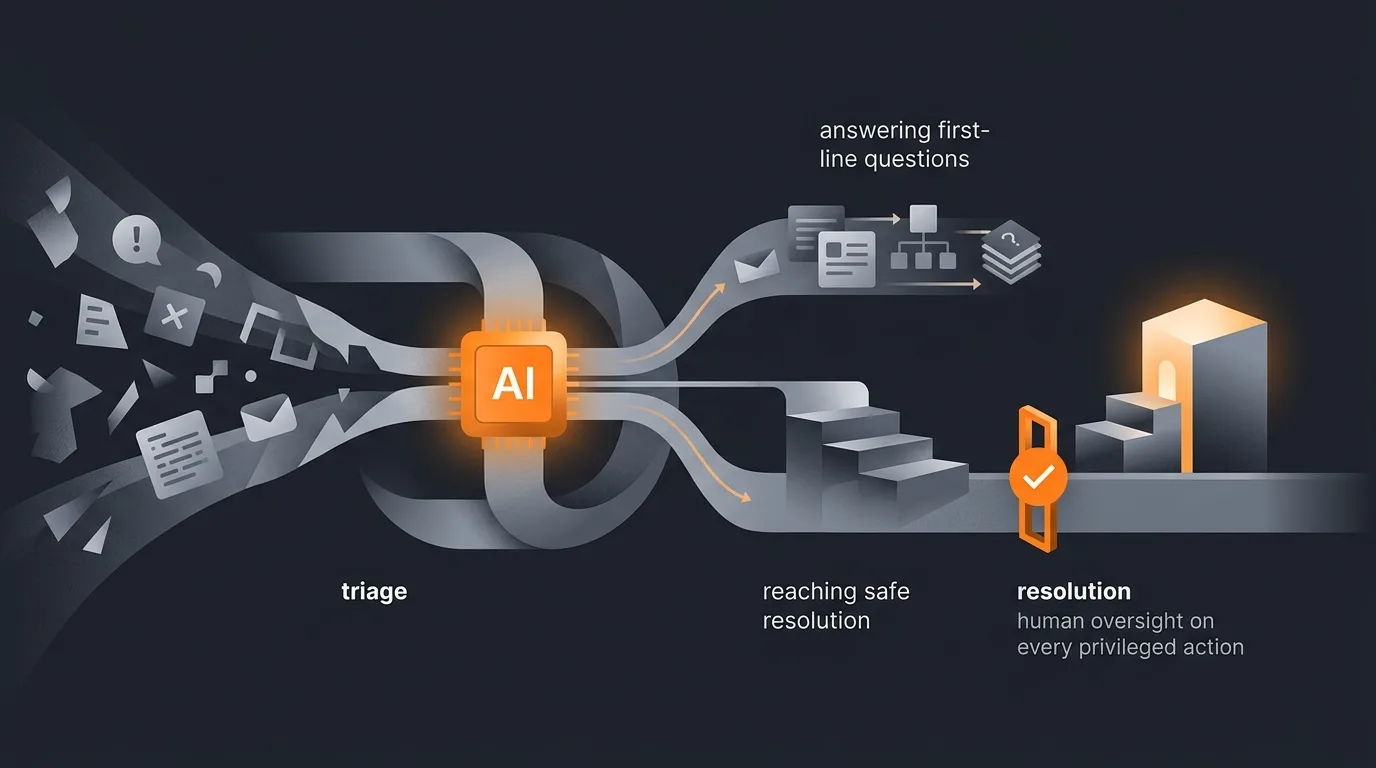
An AI agent helps an IT service desk move from triage to resolution by handling the repetitive parts of every ticket and stopping at the line where judgment and privilege begin. It reads each incoming ticket, classifies and prioritizes it, routes it to the right queue, answers first-line questions from the knowledge base, prepares password resets and access requests behind an approval gate, writes incident summaries and status updates, and watches SLAs for looming breaches. Privileged actions, account changes, access grants, anything touching production, stay with a human who approves and executes. The result is a desk where analysts spend their time on the hard tickets instead of sorting the easy ones.
This is the IT service management workflow, mapped to the practices most desks already run on ITIL: incident management, service request fulfillment, and change enablement. The tools differ, ServiceNow, Jira Service Management, Zendesk, Freshservice, but the shape of the work is the same, and the agent slots into the intake, classification, and coordination layer that sits in front of your engineers.

Where the service desk loses time
Most of a service desk's effort never reaches the actual fix. It goes into reading tickets that arrive with vague subject lines, deciding what category and priority each one is, chasing the user for the missing detail, and routing the ticket to whoever can act on it. A large portion of the queue is also the same handful of requests on repeat: password resets, software access, "how do I connect to the VPN," and "what is the status of my ticket." None of that is hard. It is just constant, and it interrupts the engineers who should be working incidents.
The cost compounds at the first line. The Help Desk Institute (HDI), the long-running professional body for the technical support industry, has documented for years that the largest share of service desk volume is low-complexity, high-frequency requests, the tier-1 tickets that a well-documented knowledge base can already answer. When humans handle all of it manually, two things happen: response times slip during volume spikes, and skilled analysts burn out on work that does not use their skill. Broader analyst research from Gartner on IT operations points the same direction, that automating routine intake and routing frees scarce staff for the incidents that genuinely need them.
An agent attacks exactly this layer. It does not replace the engineer who diagnoses a tricky outage. It removes the sorting, the repetition, and the status-chasing that sits between the user and that engineer, so the queue that reaches a person is smaller and better organized.
What an IT service desk agent does
The agent covers the front half of the ticket lifecycle and the coordination around it. Each capability below is something a person does today by hand, repeated across every ticket that comes in.
Triage, classification, and routing
The agent reads each new ticket, classifies it by category, sets urgency and priority, tags the likely service or asset, and routes it to the correct queue or team. It can spot duplicates, link related tickets into a single incident, and flag anything that looks like a major incident for immediate escalation. This is the same intake discipline covered for specific tools in Zendesk ticket triage and Freshdesk ticket routing, applied across whichever ITSM platform your desk runs on.
First-line answers from the knowledge base
For known questions, the agent drafts an answer grounded in your knowledge base and runbooks: VPN setup, printer mapping, software install steps, policy lookups. It cites the article it used so the analyst, or the user, can verify. Where a desk routes through chat, the same triage-and-answer pattern shows up in Slack triage, catching requests before they ever become formal tickets.
Password resets and access requests
This is where the agent prepares but does not execute. It collects the request, verifies the user against policy, checks entitlements, and assembles a ready-to-approve action, then routes it to the right approver. A person clicks approve and the change is made. Access requests in particular benefit from a clear control model, the kind described in access control and RBAC, so the agent only ever proposes grants that fit defined roles. Related joiner-mover-leaver work, such as employee offboarding, follows the same gated pattern: the agent assembles the checklist, a human approves each revocation.
Incident summaries, status updates, and change prep
During an incident, the agent keeps a running summary, who is affected, what is known, what was tried, and posts status updates to the channels users and stakeholders watch, on a schedule, so no one has to stop firefighting to write them. For changes, it drafts the change request: scope, impact, rollback plan, and affected services pulled from the CMDB, ready for the change advisory board to review. It also watches the queue for SLA risk, flagging tickets approaching breach before they breach rather than after.
Mapping to ITIL practices
If your desk runs on ITIL, the agent maps cleanly onto practices you already own. ITIL 4, maintained by Axelos, frames service management as a set of practices with clear value streams, and the agent automates steps within them rather than inventing a new process. The table below lines up the capabilities against the practices and shows where the human stays in control.
| ITIL practice | What the agent does | Human decision |
|---|---|---|
| Incident management | Classify, prioritize, route, summarize, post status updates | Diagnose and resolve complex incidents |
| Service request fulfillment | Answer known requests; prepare resets and access for approval | Approve and execute privileged changes |
| Change enablement | Draft the change request with scope, impact, and rollback | Change advisory board approves the change |
| Service level management | Watch SLAs, flag breach risk before it happens | Decide on escalation and remediation |
| Knowledge management | Answer from the knowledge base, cite the source article | Author and approve knowledge articles |
The pattern holds across the board: the agent compresses the coordination and the repetitive intake, and the practice owner keeps the decision rights. That separation is what makes the agent safe to run inside a governed environment instead of around it.
What to keep human
The line is simple to state: anything that reads or summarizes is fair game for the agent, anything that changes an identity, an entitlement, or a production system needs a human. Resetting credentials, granting or removing access, editing group memberships, modifying firewall rules, deploying a change, these are privileged actions, and a person with the right authority approves and executes each one. The agent's job is to make that approval fast and well-informed: it gathers the context, checks the request against policy, and presents a clean, ready-to-approve action. The human is not doing the busywork, just the deciding.
This is not a temporary limitation to engineer away. Keeping a person on privileged steps is the design. An agent that can silently reset accounts or grant admin access is a single compromised prompt away from being an attack tool, which is exactly why the approval gate matters. The mechanics of doing this well, where to place the gate, what the approver sees, how to keep it fast, are covered in how to add a human in the loop. The goal is judgment at the right moment, not a person rubber-stamping everything.
Guardrails and least privilege
The agent should be treated like any other identity on your network: given the minimum access it needs, monitored, and logged. Least privilege is the core principle. The agent that triages tickets does not need write access to Active Directory; the agent that drafts an access request needs to read entitlements, not grant them. Scope each capability tightly and the blast radius of a mistake or a malicious prompt stays small. Recognized guidance here comes from the NIST Cybersecurity Framework, which frames identify, protect, detect, respond, and recover as the structure for managing exactly this kind of access risk.
Three guardrails carry most of the weight. First, least privilege: the agent can only read and act where the task requires it, with no standing admin rights. Second, approval gates on every privileged action, so nothing that changes accounts or production happens without a named human. Third, a complete audit log of every step the agent took and every decision a human made, so the desk can answer "what happened and who approved it" after the fact. These are the same disciplines covered in AI agent security best practices, applied to the specific privileges a service desk touches. Get these three right and the agent operates as a fast, scoped, fully auditable teammate rather than an unscoped admin account.
How Gravity handles IT service desk work
Gravity is an AI agent platform. You describe the outcome in plain words: read incoming tickets, classify and route them, answer the known ones from our knowledge base, prepare password resets and access requests for approval, summarize active incidents, and flag anything approaching an SLA breach. An expert-built agent runs it and hands back the finished work in about 60 seconds, with privileged actions queued for a human to approve rather than executed on its own.
The guardrails described above are how the agent is built, not bolt-ons you configure later. It runs with least privilege, stops at every privileged action for human approval, and logs each step for audit. Pricing is a subscription that scales with the desk: a free tier runs one agent, and paid plans start at $20 a month with a lot of usage included, so a desk buys a plan sized to its ticket volume rather than a seat that sits idle overnight.
Because Gravity runs and maintains the agent and carries the connection to your ITSM tool, you describe the result once instead of building and operating a pipeline. New to the platform? Setting up your first AI agent walks through going from a plain-language description to a running workflow, and the glossary explains the terms. IT service desks are a strong fit because the work is high-volume, well-documented, and easy to scope: the agent takes the repetitive front line, your engineers keep the hard incidents and every privileged action. Teams looking at agents beyond IT can see the wider picture in AI agents for every profession.
FAQ
Can an AI agent resolve IT service desk tickets on its own?
It can fully handle low-risk, well-documented requests such as how-to answers and status updates. For anything that changes accounts, access, or production systems, the agent prepares the work and a human approves the action. The safe default is autonomous triage and drafting, with a person on every privileged step.
How does an AI agent triage and route tickets?
The agent reads each new ticket, classifies it by category and urgency, sets a priority, tags the likely service or asset, and routes it to the right queue or team. It can also flag duplicates and link related incidents. This mirrors the ITIL service request and incident intake steps, done in seconds rather than by a triage rota.
Which IT tasks should stay human?
Keep humans on privileged actions: resetting credentials, granting or removing access, changing group memberships, and any change touching production. The agent can draft, gather context, and queue these, but a person with the right authority approves and executes them. Least privilege and an approval gate keep the agent from doing anything it should not.
How do AI service desk agents fit ITIL practices?
They support incident management, service request fulfillment, and change enablement by automating intake, classification, first-line knowledge answers, and change preparation. The agent handles the repetitive coordination while the practice owners keep decision rights. It speeds the workflow ITIL describes rather than replacing the governance around it.
How do you keep an IT agent secure?
Scope it with least privilege so it can only read and act where needed, put approval gates on every privileged action, and log every step for audit. Follow recognized guidance such as the NIST framework, and treat the agent like any other identity with limited, monitored access rather than a standing admin account.