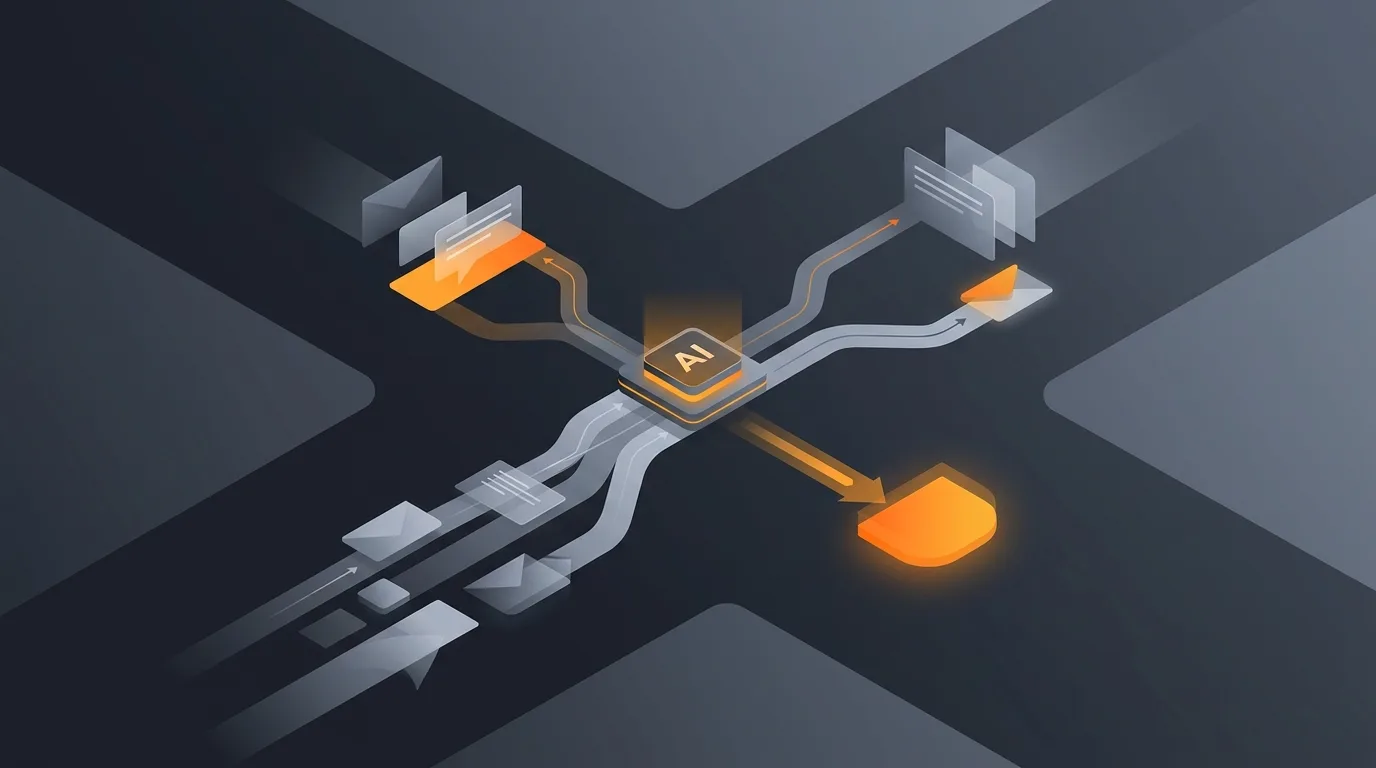
Yes, an AI agent can run your post-webinar follow-up end to end: it pulls the registrant and attendance lists from your webinar tool, splits them into attended and no-show segments (and sorts attendees by engagement where the data exists), drafts a tailored email sequence for each segment, flags the hottest leads for your sales team to call, and schedules every send. A human approves the plan before anything goes out. The agent removes the slow, repetitive assembly work; it does not remove the judgment call on whether the messaging is right.
The problem this solves is timing. Webinar follow-up is one of those tasks that everyone agrees matters and almost nobody does well, because doing it well means moving fast on the same afternoon you are exhausted from running the event. This post walks through how an agent handles the whole sequence so the follow-up actually ships while the interest is still warm.

What the follow-up agent does
A webinar generates two lists: the people who registered and the people who actually showed up. Those two lists almost never match, and the gap between them is most of the work. Some registrants attended and stayed to the end. Some attended and dropped after five minutes. Some never joined at all. Each of those groups deserves a different message, and figuring out who belongs where is exactly the tedious sorting that gets skipped when the team is busy.
The agent runs the sequence as a set of clear steps. It reads the registration and attendance exports, segments the audience, drafts the right email sequence for each segment, identifies which contacts behaved like buyers, and schedules the sends across the right cadence. At the end it hands you a plan to approve rather than a pile of raw CSV rows. The output is the same thing a sharp marketing coordinator would produce after a focused hour, except it is ready within minutes of the webinar ending and it does not get deprioritized by the next fire.
This sits in the same family as other handoff-heavy follow-up jobs an agent handles well, like meeting follow-ups and sales call follow-up. The shared pattern is simple: an event just happened, several people now need different next-step messages, and the value lives in sending those messages quickly and correctly.
Why timing is the whole game
Webinar interest is perishable. A registrant who watched your demo and typed a question into the chat is a genuinely warm lead at 3 p.m. on the day of the event. By the next morning they are colder. By the following week, the session is a vague memory competing with everything else in their inbox, and the recording link you finally got around to sending feels like a message about something they barely remember signing up for.
That decay is why so much webinar pipeline leaks away. The leads existed. The intent was real. The follow-up just arrived too late to catch it, because assembling a segmented sequence by hand is a half-day job that slips to the next day, then to "when I get a chance," then to never. The recording goes out as a single blast to everyone, with no recap and no tailored next step, and the warmest leads get the same generic email as the people who forgot they registered.
An agent breaks that pattern by collapsing the assembly time. Because the segmenting and drafting happen in minutes rather than hours, the follow-up can go out the same day, while the recording link still feels timely and the next-step offer still connects to a fresh memory. Speed here is not a nice-to-have. It is the difference between a follow-up that converts and one that documents a missed opportunity.
Segmenting registrants
Segmentation is the foundation, because every later step depends on getting the right person into the right group. The agent reads the attendance report your webinar platform produces and works from the most reliable signal first.
Attended versus no-show
The primary split is the cleanest one: who joined the live session and who registered but never connected. This single division already changes the message. Attendees know what happened and want the resources and the recap. No-shows missed it entirely and need the recording framed as a catch-up, not a thank-you for being there. Sending the same email to both groups is the most common follow-up mistake, and it is the easiest one to fix.
Engagement signals where available
Many webinar tools export more than a binary attended flag. Where the data exists, the agent uses it to split attendees further: total watch time, whether they stayed for the demo or the offer at the end, which polls they answered, and whether they asked a question in the Q&A. A registrant who watched ninety percent and asked about pricing is a different lead from one who joined for three minutes and left. The agent reads whichever of these signals your platform provides and ignores the ones it does not, so the segmentation gets sharper as your data gets richer without ever depending on a field you do not have.
The result is a small set of clean segments: engaged attendees, lightly engaged attendees, and no-shows, with the option to split further by job title or company size if that data rode along on the registration form. This is the same disciplined audience-splitting that drives good list segmentation work, applied to the specific moment right after an event.
Drafting per-segment sequences
Once the segments exist, the agent drafts a short email sequence for each one. The point of separate sequences is that each group is in a different state of mind, and the message should meet them there rather than averaging across everyone.
Engaged attendees get a sequence that respects how close they already are. The first email thanks them, includes the recording and slides, and gives a tight recap of the key points so they can act without rewatching. The next message moves to a direct next step: a link to book time, start a trial, or talk to the team. These are the people closest to a decision, so the sequence is short and the call to action is explicit.
Lightly engaged attendees get a softer path. They showed up but did not stay for the part that mattered, so the agent leads with the recording cued to the section they likely missed, adds a one-line recap, and offers a low-friction resource before asking for anything. The next step is an invitation, not a push.
No-shows get the recording up front, framed as a second chance: a short note on what they missed and an easy link to watch on their own time, plus the same next-step offer presented without any guilt. People miss webinars for ordinary reasons, and a no-show who registered is still an interested lead. The agent treats them that way.
Every draft pulls from the actual session: the real title, the real topics, the real resources you offered. The agent does not write generic filler, and it does not invent details about a session it did not attend; it works from the agenda, recap notes, and links you provide. This is the same drafting discipline behind a good cold lead follow-up, where the message has to feel specific to the recipient to earn a reply. Repurposing the recording into clips or a summary post for later nurture is a natural extension, and an agent can handle that content repurposing from the same recording once the immediate follow-up is out.
Flagging and routing hot leads
Not every lead should be left to an email sequence. The whole reason to capture engagement signals is to find the handful of people who are ready for a human conversation now, and to get them in front of the sales team before the moment passes.
The agent flags hot leads using the signals it already gathered: high watch time, a pricing or buying-intent question in the Q&A, a poll answer that indicates near-term need, or a job title and company that fit your target profile. Instead of dropping these contacts into the same drip as everyone else, it surfaces them as a short, ranked list for the team, with the reason each one was flagged attached so the rep knows why this person and what to open with.
This routing step is where webinar follow-up connects to the rest of your pipeline. The flagged leads can be handed straight to a rep, or scored and prioritized the way an agent handles lead scoring so the strongest signals rise to the top of the queue. The principle is to let the email sequence nurture the many while the team spends its limited time on the few who are actually ready. A generic blast cannot make that distinction. An agent that read the engagement data can.
Scheduling and human approval
The last two steps are scheduling and sign-off, and the order matters: the agent schedules a plan, then waits for a human to approve it before a single email leaves.
For scheduling, the agent proposes a cadence rather than firing everything at once. The first touch goes out the same day while interest is high. The recap or resource follows a day or two later. The next-step nudge lands a few days after that, with the exact spacing tuned to each segment, since engaged attendees can take a faster cadence than no-shows. The agent lays out the full calendar of sends so you can see the whole sequence on one screen.
Then it stops. Nothing sends until you approve. You see every segment, every draft, every proposed send time, and the list of flagged leads, and you can edit any of it: rewrite a subject line, move a contact to a different segment, hold a send, or kill one entirely. This human-in-the-loop checkpoint is deliberate. The agent is fast at the assembly, but the decision to put a specific message in front of a specific audience stays with a person. Approval becomes a five-minute review of finished work instead of an hour of building from scratch. If you want the agent to send rather than just draft, that runs through a controlled connection, the same careful approach described in giving an agent access to email safely.
How Gravity handles webinar follow-up
Gravity is an AI agent platform. You describe the job in plain words: which webinar you just ran, where the registration and attendance lists live, what resources you want to share, and what the next step should be. An expert-built agent handles the follow-up from there.
The agent reads your registrant and attendance data, splits the audience into attended and no-show, sorts attendees by engagement where the signals exist, drafts a tailored sequence for each segment, flags the hottest leads for your team with the reason attached, and schedules the sends on a sensible cadence. Then it hands you the full plan to approve. You review, edit anything you want, and release it. You do not export CSVs, sort rows by hand, or write four versions of the same email. Subscription pricing: a free tier, then plans from $20/month that include usage.
Because Gravity runs the agent and carries the connections to your tools, you describe the outcome once instead of wiring up a sequence builder yourself. If you are new to the platform, setting up your first AI agent walks through going from a plain-language description to a running workflow, and what is an AI agent explains why reading attendance data, deciding segments, and drafting per-segment messages counts as real agentic work rather than a fixed template. Webinar follow-up is a strong use case because the value is obvious within hours: the right people get the right message while the session is still fresh, and the warmest leads reach a human before the moment cools.
FAQ
Can an AI agent run my post-webinar follow-up sequence?
Yes. The agent pulls the registrant and attendance lists from your webinar tool, splits them into attended and no-show, drafts a tailored email sequence for each segment, flags the most engaged leads for your sales team, and schedules the sends. You review and approve the drafts before anything goes out, so the timing is fast but a human still signs off on the messaging.
How does the agent tell attendees from no-shows?
It reads the attendance report your webinar platform produces. Registrants who joined the live session land in the attended segment; registrants who signed up but never connected land in the no-show segment. Where the platform also exports watch time, poll responses, or questions asked, the agent uses those signals to split attendees further into highly engaged and lightly engaged.
Why does post-webinar follow-up need to be fast?
Interest peaks right after the event and fades quickly. A registrant who was nodding along during your demo is a warm lead on the same afternoon and a cold one by the following week. The recording link, the recap, and the next-step offer all land best while the session is still fresh. A follow-up that takes three days to assemble arrives after most of the intent has cooled off.
What goes in each segment's email sequence?
Attendees get a thank-you, the recording and slides, a recap of the key points, and a next step that matches how engaged they were. No-shows get the recording up front with a short note on what they missed and the same next-step offer, framed as a second chance rather than a guilt trip. Highly engaged attendees get a more direct call to book time with the team.
Does the agent send emails without my approval?
No. The agent does the segmenting, drafting, lead flagging, and scheduling, then stops and shows you the full plan: the segments, the drafts, and the proposed send times. Nothing is sent until you approve. You can edit any draft, move a lead between segments, or hold a send. The agent handles the assembly so approval is a quick review rather than building the sequence from scratch.