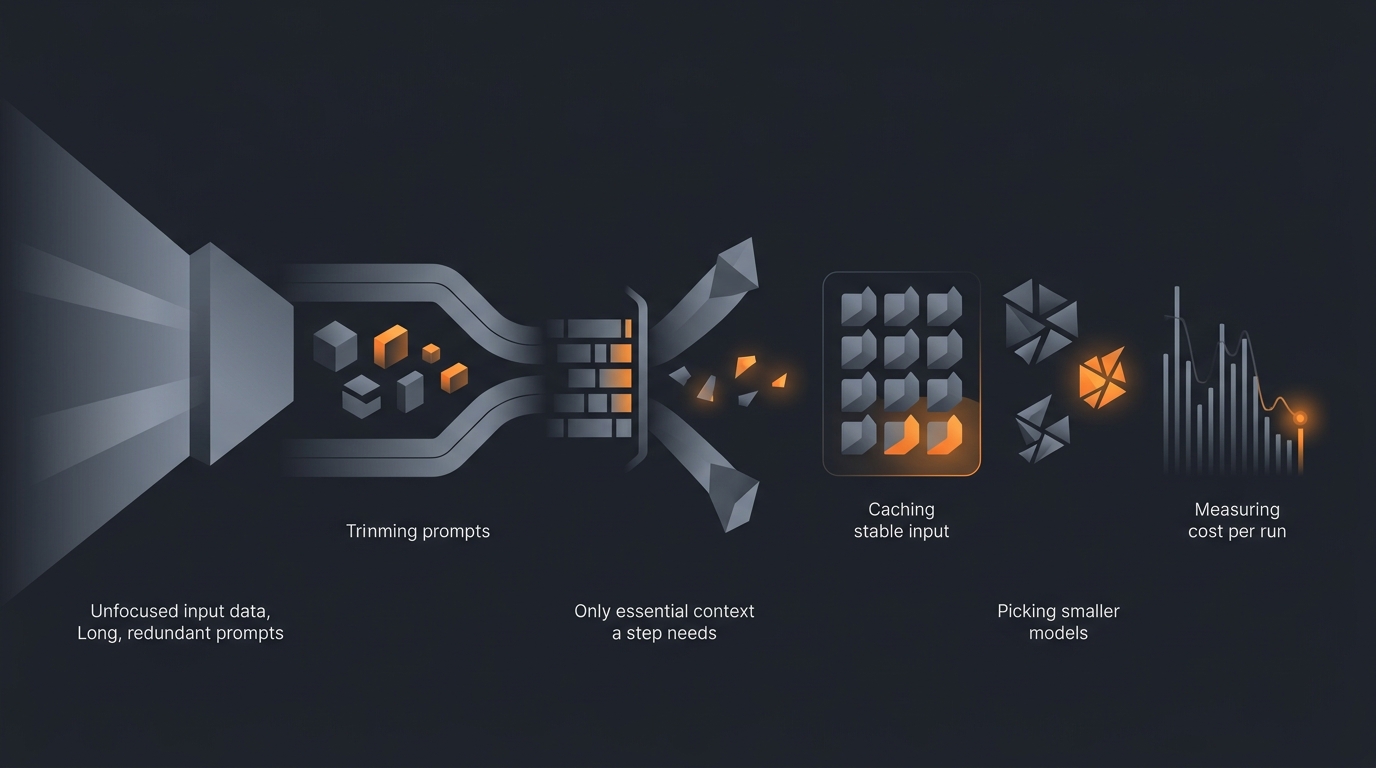
To optimize an AI agent prompt for cost, reduce the total number of tokens the agent processes across a full run: trim the system prompt and few-shot examples to what the model actually needs, pass only the context each step requires instead of the whole conversation, route simple steps to a smaller model, cache the stable part of your input, and remove tool calls and retries that do not change the result. Then measure cost per successful run before and after each change so you keep the savings that are real and discard the ones that quietly hurt accuracy.
This is a practical guide. Each section below is one lever you can apply on its own. The order roughly follows the size of the typical saving, but the right combination depends on your workflow, so measure as you go.

Where prompt cost comes from
Before cutting cost, it helps to know exactly what you are paying for. An agent's bill comes from tokens, and there are two kinds.
Input tokens are everything you send the model on each call: the system prompt, your instructions, any few-shot examples, the context you attach (documents, prior messages, retrieved data), and the tool definitions the agent can call. Output tokens are everything the model generates back: its reasoning, its answer, and any tool-call arguments it writes. Providers price these per token, and on most models output tokens cost more per token than input tokens, so verbose responses are not free either. Anthropic, for example, publishes per-token input and output rates for each Claude model on its pricing page.
A single-shot prompt is easy to reason about. An agent is harder, because an agent runs in a loop. Each step is a fresh model call, and the running context (the original task, prior steps, tool results) is often resent on every step. So the same 2,000-token context attached to a six-step agent is not paid for once; it is paid for on each step where it is included. Every tool call is another round trip, and every retry after a failure repeats the whole call. Cost grows with steps, with repeated context, and with retries, not just with the length of your opening prompt.
That gives you the full map of where to cut: shrink the per-call input, stop resending context that a step does not need, run cheaper steps on cheaper models, reuse stable input through caching, and eliminate the extra round trips. The rest of this guide works through each one. For the wider picture beyond the prompt itself, our guide to AI agent cost control covers budgets, limits, and monitoring.
Trim the system prompt and examples
The system prompt is sent on every single call, so every word in it is multiplied by the number of steps and the number of runs. It is the highest-frequency text in your whole agent, which makes it the first place to cut.
Look for three kinds of waste. First, restated instructions: the same rule phrased three different ways. Keep the clearest one. Second, instructions for cases that never occur in your actual traffic. If the agent only ever handles English invoices, the paragraph about handling six other languages is pure cost. Third, long explanations of why a rule exists. The model needs the rule, not the rationale; move the reasoning to a comment in your own docs, not into the prompt.
Few-shot examples deserve the same scrutiny. Examples are powerful, but they are often the largest block of input tokens in a prompt, and people tend to add them and never remove them. Test how many you actually need. If the agent performs the same with three examples as with eight, you just deleted five examples worth of tokens off every call. Often a single, well-chosen example plus a crisp instruction beats a wall of examples. Good prompt engineering for agents is partly the discipline of saying the necessary thing once.
The one caution: do not trim past the point where the agent still gets it right. A prompt that is shorter but now needs two retries to land a correct answer costs more, not less. The next-to-last section explains how to verify you stayed on the right side of that line.
Pass only the context the step needs
The biggest token sink in most agents is not the prompt; it is the context that rides along on every step. A naive agent loop appends each step's input and output to a growing transcript and resends the whole thing on the next step. By step six, you are paying to reprocess steps one through five even though step six only needs the last result.
Pass each step the minimum it needs to do its job. If a step formats data that an earlier step produced, send it that data, not the entire conversation that led to it. If a step answers a question about one document, send that one document, not the full library you retrieved. This is the core of context window management: deciding deliberately what stays in context and what drops out.
Three patterns help in practice:
- Summarize, then drop. When a long sub-task finishes, replace its full transcript with a short summary of the result before moving on. The agent keeps the conclusion and stops paying to carry the working notes.
- Retrieve narrowly. If the agent pulls reference material, fetch the few relevant passages rather than whole documents. Tighter retrieval is cheaper on every downstream step that carries the result.
- Scope tool definitions. Tool definitions are input tokens too. If a step cannot use a tool, do not include that tool's schema in that step's call.
Because this context is multiplied across every remaining step, trimming it is often the single largest saving available, larger than any edit to the prompt text itself.
Choose a smaller model for simple steps
Not every step in an agent needs the most capable model. Classifying an email into one of five buckets, extracting a date from a line of text, formatting a result as JSON, or deciding which branch to take next are simple steps. A smaller, cheaper model handles them reliably, and smaller models cost meaningfully less per token. Anthropic's lineup, for instance, spans a range of model sizes at different per-token prices, listed on its pricing page.
The move is to split the workflow by difficulty. Route the routine steps (classification, extraction, formatting, routing) to a small model, and reserve a larger model only for the steps that need genuine reasoning or judgment. Because the simple steps are usually the frequent ones, sending them to a cheaper model often produces a larger saving than any prompt edit, while the quality of the hard steps is untouched.
Match the model to the step, then confirm the small model actually holds up on real inputs. If a smaller model drops the success rate on a step, the failed runs and retries can erase the per-token saving. Measure it, the same way you measure every other change here.
Cache the stable context
If a large chunk of your input is identical on every run, you should not pay full price to reprocess it each time. That is what prompt caching is for. The provider stores the stable prefix of your input (a long system prompt, a fixed instruction block, a reference document the agent always consults) and bills a repeat of that prefix at a lower rate than fresh input. Anthropic documents how prompt caching works and which parts of a request are cacheable in its prompt caching guide.
Caching pays off most when two things are true: a meaningful share of your input is unchanged across calls, and the agent runs often enough that the same prefix recurs before the cache expires. An agent with a 4,000-token system prompt that runs hundreds of times a day is an ideal case. An agent whose input is different every time has little to cache.
To make caching effective, structure your prompt so the stable content sits at the front and the variable content (the specific task, the user's data) comes after it. That keeps the cacheable prefix as long as possible. Caching and trimming work together: trim first so you are not caching waste, then cache what remains and is stable.
Cut unnecessary tool calls and retries
Every tool call is an extra model round trip: the model writes the call, you run it, and you feed the result back for another model turn. Tool calls that do not change the outcome are pure cost. Watch for an agent that calls the same tool twice with the same arguments, fetches data it already has, or runs an exploratory call whose result it ignores. Tightening the instructions so the agent calls a tool only when it needs the result removes those turns.
Retries are the other quiet drain. A retry repeats an entire call, so an agent that retries often is paying a multiple of its base cost. Two habits keep retries low: make the prompt clear enough that the first attempt usually succeeds, and cap retries so a stuck step fails fast instead of looping. A retry ceiling protects you from a single bad run consuming a large amount of budget. This sits alongside rate limiting, which caps how often the agent runs at all; the companion how-to on how to rate limit your agent walks through setting those ceilings.
One more source of repeated work: an agent that re-derives the same facts every run because it has no memory of prior runs. Where the task allows it, giving the agent a small store of stable facts avoids paying to rebuild them each time; the guide on building an agent with memory covers the pattern.
Measure cost per run before and after
Every change above can either help or quietly backfire, and you cannot tell which from the prompt alone. The metric that matters is cost per successful run, not cost per call. A change that halves the per-call cost but doubles the retry rate has not saved you anything.
Build a small before-and-after habit. For a representative sample of real runs, record four numbers per run: input tokens, output tokens, number of tool calls, and number of retries. Convert tokens to cost using your model's published rates, sum across all steps, and divide the total by the number of runs that succeeded. That gives you cost per successful run. Make one change, run the same sample again, and compare.
Keep a change only when cost per successful run drops and the success rate holds. If cost fell but accuracy fell with it, you traded money for errors, which usually costs more once you count the rework. Track this alongside your agent success metrics so cost and quality stay visible together rather than one improving while the other slips. If the idea of an agent as a measurable, looping system is still fuzzy, what is an AI agent lays out the model, and the glossary defines the terms used here.
How Gravity handles cost
Gravity is an AI agent platform. You describe what you need in plain words and an expert-built agent runs it end to end, usually in about 60 seconds. You do not write the prompt, choose the model, or tune the token budget yourself; the people who build agents for Gravity handle the optimization described in this guide as part of building and maintaining each agent.
That means the trimmed prompts, step-by-step model routing, cached stable context, and retry limits are already applied to the agents you run. Pricing is pay per use: $1 equals 1,000 credits, and you only pay when an agent actually runs. There is no idle cost and no platform fee for keeping an agent available, so the optimization work translates directly into what you pay rather than disappearing into a flat subscription.
If you build agents and want to go deeper on the techniques here, start with prompt engineering for agents and cost control, then layer in context management and rate limiting as your usage grows.
FAQ
What drives the cost of an AI agent prompt?
Agent cost is driven by tokens. You pay for input tokens (everything you send the model: system prompt, instructions, examples, context, tool definitions) and output tokens (everything the model generates). Multi-step agents add cost because the same context is often resent on each step, and every tool call and retry is another model round trip. Reducing total tokens across all steps is the lever that lowers cost.
Does a shorter prompt always cost less?
A shorter prompt costs less per call, but only if it still produces a correct result on the first try. If trimming the prompt causes the agent to misunderstand the task and retry, you pay for the short prompt plus the retries, which can cost more than one well-formed prompt. Optimize for total tokens per successful run, not for the length of a single message.
Should I use a smaller model to save money?
Use a smaller model for the simple steps: classification, extraction, formatting, and routing. Reserve a larger model for the steps that need real reasoning. Splitting a workflow so each step runs on the cheapest model that handles it reliably is usually a larger saving than any single prompt edit, because smaller models cost less per token.
What is prompt caching and when does it help?
Prompt caching stores the stable part of your input (a long system prompt, a fixed instruction block, a reference document) so it does not have to be reprocessed on every call. When the same prefix repeats across many runs, cached input is billed at a lower rate than fresh input. It helps most for agents with a large, unchanging context that runs frequently.
How do I measure whether a change actually saved money?
Measure cost per run before and after the change. Record input tokens, output tokens, number of tool calls, and number of retries for a representative sample of runs, then compute the total cost per successful run. Compare the two samples. A change is a real saving only if cost per successful run drops without the success rate dropping.