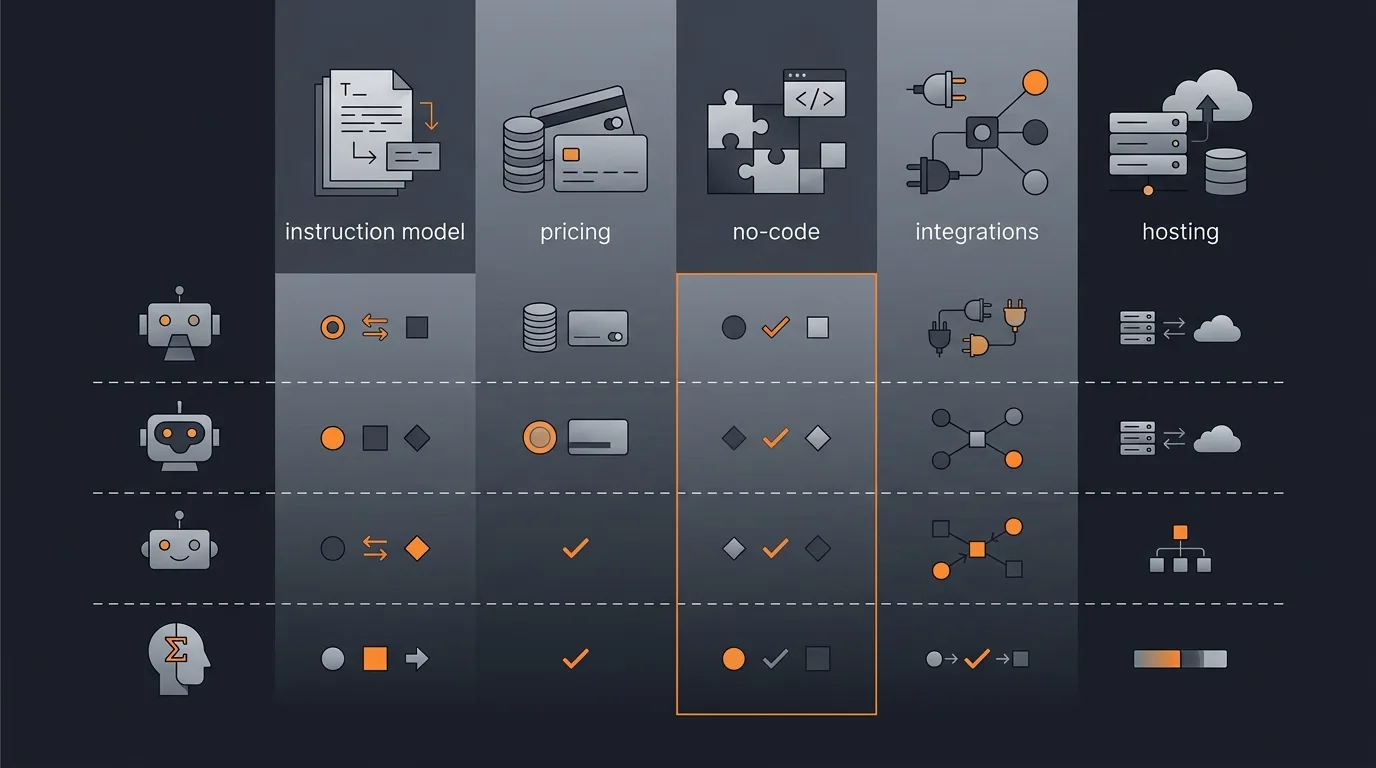
AI agent platforms diverge on six dimensions that decide fit: how you tell the agent what to do, how you pay, whether the platform is no-code or code-first, how it connects to your tools, whether it supports human approval steps, and who hosts it. No platform wins every row. The fastest way to choose is to find the platform that wins the two or three rows that match your team, not the one that looks best overall.
This page is the neutral reference for the comparison cluster. It is a feature and dimension matrix, not a pricing deep-dive and not a use-case ranking. For cost specifically, see the pricing-only comparison. For a single use case, the audience guides rank platforms by job to be done. This page lines the category up side by side so you can shortlist, then read the head-to-head for your top two.

The AI agent platform comparison matrix
The matrix below compares major AI agent platforms across six dimensions: instruction model, pricing model, no-code versus code, integrations, human-in-the-loop, and hosting. Read across a row to see one platform's overall shape. Read down a column to compare every platform on the single dimension you care about most. Cells are kept to a word or two on purpose, so the table stays scannable; the sections after it explain what each value means.
| Platform | Category | Instruction model | Pricing model | No-code vs code | Integrations | Human-in-the-loop | Hosting |
|---|---|---|---|---|---|---|---|
| Gravity | Describe-outcome agent platform | Describe outcome | Free tier; paid from $20/mo with usage included | No-code | Managed connectors | Approval steps | Managed |
| Lindy | No-code AI assistant builder | Build workflow | Usage-based | No-code | Broad | Supported | Managed |
| Zapier | Workflow automation with AI | Build workflow | Task-based | No-code | Very broad | Supported | Managed |
| Make | Visual workflow automation | Build workflow | Operation-based | No-code | Very broad | Supported | Managed |
| n8n | Workflow automation (open source) | Build workflow | Self-host or cloud | Low-code | Broad | Supported | Self-host or cloud |
| LangChain / LangGraph | Developer agent framework | Build in code | Open source / usage | Code-first | Library-based | Developer-defined | Self-host |
| CrewAI | Multi-agent framework | Build in code | Open source / usage | Code-first | Library-based | Developer-defined | Self-host or cloud |
| Relevance AI | Low-code agent builder | Build workflow | Usage-based | Low-code | Broad | Supported | Managed |
| Stack AI | Visual agent builder | Build workflow | Usage-based | Low-code | Broad | Supported | Managed or self-host |
| Sierra | Enterprise CX agents | Configured by vendor | Enterprise / outcome | Managed service | Enterprise systems | Supported | Managed |
| Decagon | Enterprise support agents | Configured by vendor | Enterprise / outcome | Managed service | Enterprise systems | Supported | Managed |
The values above are category descriptors, not feature guarantees. A platform marked "broad" on integrations may still be missing the one connector you need, and "usage-based" pricing varies widely in how it meters. The matrix exists to narrow a long list to a short one. Once you have a shortlist, the dimension sections below tell you what to confirm on each vendor's current documentation.
How to read this matrix
Do not look for the platform that wins the most rows. Look for the platform that wins the two or three rows that match your team. A matrix rewards the platform with the most green cells, but your decision should reward the platform that is strong exactly where you are weak. The rows you can ignore are as important as the rows you weight.
Weighting follows from who will build and run the agents. A non-technical team weights instruction model and no-code heavily, because those two rows decide whether anyone outside engineering can use the thing at all. An engineering team weights code access and hosting control, because those rows decide whether they can own the orchestration layer and keep data where policy requires. A team buried inside one SaaS suite may weight integrations above everything, since a native fit can outweigh a better agent that does not reach their systems.
So read the matrix twice. First, cross out the rows that do not matter to you. Second, compare only the surviving columns. The segment picks later in this post do that filtering for four common team types, and the framework for scoring platforms in general is covered in how to evaluate AI agent platforms.
The six dimensions that decide fit
Each dimension maps to a real decision: who can use the platform, what you pay, how it connects, and how much control you keep. Most comparison pages list features in whatever order the vendor markets them. Reducing the category to these six decision dimensions makes the comparison portable across platforms and stable as individual features churn.
Instruction model: describe-outcome vs build-the-workflow
This is the biggest fork and the most overlooked column. On one side are describe-outcome platforms: you state the result you want in plain words, and an agent figures out the steps. On the other side are build-the-workflow platforms: you assemble the steps yourself, trigger by trigger and action by action, and the platform runs exactly what you built. The difference decides who on your team can actually create an agent. Describe-outcome suits anyone who can write a clear request; build-the-workflow suits people who enjoy and have time to design the path. The distinction is worth its own treatment, which is why we wrote describe the outcome, not the workflow. If you are unsure whether something even counts as an agent versus an automation, what is an AI agent draws the line.
Pricing model: per-seat vs per-task
Pricing splits mainly into seat-based and consumption-based. Seat-based pricing charges per user, which is predictable but punishes teams where a few people run a lot and most run a little. Consumption-based pricing, whether metered as tasks, operations, runs, or credits, charges for what you use, which suits variable or spiky workloads and lets you try a platform without committing a headcount budget. Neither is universally cheaper; it depends on your usage shape. Because pricing is the row that changes most often and varies most in the fine print, we keep the numbers out of this matrix and in the pricing-only comparison, which compares meters and cost behavior in detail.
No-code vs code-first
This column gates which teams can self-serve. No-code platforms let a non-technical person build and run agents through a description or a visual canvas, with no programming required. Low-code platforms sit in between: a visual builder for most of the work, with the option to drop into expressions or scripts for the hard parts. Code-first frameworks assume a developer writes and maintains the logic in a real programming language; they trade approachability for control and composability. The right answer is not "no-code is better." It is whether the people who will own the agents can work in the format the platform requires.
Integrations
An agent is only as useful as the tools it can touch. Integration breadth covers how many systems a platform connects to and how deeply, from read-only triggers to full two-way actions. Workflow-automation tools tend to lead on raw connector count because that has been their core product for years. Developer frameworks connect to anything you are willing to write code for, which is unlimited in theory and bounded by engineering time in practice. Managed agent platforms connect through curated connectors that the platform maintains. When you compare this row, do not count connectors; check the specific handful your agent actually needs and confirm the depth of each.
Human-in-the-loop
Approval gates matter for anything public-facing, financial, or irreversible. A human-in-the-loop step pauses the agent before a consequential action, sends it to a person to approve or edit, and only proceeds on a yes. For drafting an internal summary you may want full autonomy; for sending an email to a customer or moving money you almost certainly want a checkpoint. Platforms vary in whether approval is a first-class feature, a pattern you assemble yourself, or something a developer codes. If this matters to your use case, read how to add human-in-the-loop approval before you choose, because retrofitting it later is harder than picking a platform that supports it natively.
Hosting: managed vs self-hosted
Hosting trades convenience against control. Managed platforms run the agents on their own infrastructure, so you skip the operational burden and get updates automatically, at the cost of your data passing through their systems. Self-hosted options run on infrastructure you control, which is the answer when data residency, compliance, or air-gapping requires it, at the cost of standing up and maintaining the stack yourself. Some platforms offer both. This row often decides regulated-industry shortlists on its own. The broader trade-offs, including where data lives and how deployment shapes risk, are covered in deployment models explained and hosting and data residency.
Segment picks by team type
Honest picks come from matching the dimensions to the team, not from declaring a single winner. Four common segments cover most buyers, and each weights different rows.
Non-technical, cost-sensitive teams. If no one on the team wants to build a workflow and the budget is tight, weight instruction model, no-code, and pricing. A describe-outcome, no-code platform with a free tier and flat plans that include usage lets a non-technical person get a result without an engineering ticket or a per-seat commitment. This is the segment Gravity is built for, and the broader case for it sits in the where Gravity fits section below.
Engineering teams that want control. If you have developers who want to own the orchestration layer, weight code access and hosting. A code-first framework that you self-host gives you full control over logic, model choice, and where data lives, at the cost of building and maintaining it yourself. The framework rows in the matrix are the place to start.
Teams inside a single SaaS suite. If most of your work already lives in one tool, the native agent add-on inside that suite may beat a better standalone agent simply because the integration is already there. Weight integrations heavily and try the native option first.
High-volume, deterministic flows. If your process is a fixed sequence that runs at scale and rarely needs judgment, a workflow-automation tool with AI steps is often the most cost-effective fit. You are buying reliable repetition, not reasoning. For use-case-specific shortlists, the audience guides such as agents for customer support rank platforms by the job rather than the category.
Where Gravity fits in the matrix
Gravity is a describe-outcome, no-code, managed platform on subscription pricing. You tell it the outcome you want in plain words, an expert-built agent runs it and returns the finished result in about 60 seconds, and the bill is a flat plan rather than a per-seat charge: a free tier covers one agent, and paid plans start at $20 a month with a lot of usage included, plus extra usage as you grow. In matrix terms, Gravity sits on the describe-outcome end of the instruction column, in the no-code row, on subscription pricing with included usage, with managed connectors, native approval steps, and managed hosting. It is built for people who want the result, not the wiring.
Being honest about the rows Gravity does not win is part of why this page is trustworthy. Gravity is not a code-first framework. If your engineering team wants to own the orchestration layer, choose your own models step by step, or self-host for data residency, the framework rows are a better starting point than Gravity. Gravity also does not try to be the widest connector catalog; it maintains curated managed connectors rather than chasing connector count. Where Gravity is strong is the combination non-technical, cost-sensitive teams care about: describe the outcome, no building, a plan that starts free and includes usage, and someone else runs and maintains it.
If your shortlist includes the closest comparable platforms, the head-to-heads go deeper than a single matrix row allows: Gravity vs Lindy compares two no-code, managed platforms with different instruction models, Gravity vs Zapier contrasts describe-outcome against build-the-workflow automation, and Gravity vs n8n weighs managed describe-outcome against self-hosted workflow automation. For the underlying terms used across this matrix, the glossary defines instruction model, human-in-the-loop, and the rest.
Methodology and limits
The rows reflect each platform's general category and documented positioning as of mid-2026, expressed as qualitative descriptors rather than specific feature or pricing claims. We deliberately avoid stating competitor prices, exact feature counts, or operational status, because those change quickly and a confident-sounding wrong number is worse than an honest category label. Gravity's row is stated first-hand, including the dimensions where Gravity does not compete.
Treat this matrix as a shortlisting aid, not a final spec sheet. Platforms ship features and adjust pricing on a rolling basis, so any snapshot ages. Use the table to narrow the field to three to six candidates, then confirm the current specifics on each vendor's own documentation before you buy. If you spot a row that has fallen out of date, that is the matrix doing its job: it tells you which dimension to re-check, not what to conclude. Corrections are welcome through our about page.
FAQ
How do AI agent platforms differ in 2026?
They differ most on six dimensions: instruction model, which is whether you describe the outcome or build the workflow step by step; pricing model, per seat or per task; whether they are no-code or code-first; integration breadth; human-in-the-loop approval support; and hosting, managed or self-hosted. Price alone is a poor way to compare, because two platforms at a similar price can sit at opposite ends of every other dimension.
Which AI agent platform should I choose?
Choose by the two or three dimensions that match your team rather than the platform that wins the most rows. Non-technical, cost-sensitive teams usually favor a describe-outcome, no-code, managed platform priced per task. Engineering teams that want to own the orchestration layer usually favor a code-first framework they can self-host. Single-suite teams often start with the native agent add-on inside the tools they already pay for.
What is the difference between an agent platform and a workflow-automation tool?
A workflow-automation tool runs the exact steps you build: trigger, action, action, in a fixed order. An agent platform takes a described outcome and decides the steps itself, so it can handle judgment and variation that a rigid workflow cannot. Many automation tools now add AI steps, which blurs the line, but the core distinction is whether you author the path or describe the destination.
Are AI agent platforms no-code or code-first?
Both exist, and the split matters because it decides who on your team can build. Describe-outcome and visual platforms are usually no-code, so a non-technical person can self-serve. Developer frameworks are code-first and assume someone writes and maintains the logic. The no-code versus code column in the matrix is the fastest way to tell whether a platform fits the people who will actually use it.
How often does this comparison change?
Frequently. Platforms ship features and adjust pricing on a rolling basis, so any matrix is a snapshot. Use this one to shortlist three to six platforms by the dimensions that matter to you, then confirm the current specifics on each vendor's own documentation before you commit. Treat the rows as a starting shape, not a final spec sheet, and re-check before a purchase decision.